

WHAT THE COPY KEEPS BEHIND THE CONTENT
Structure & Data
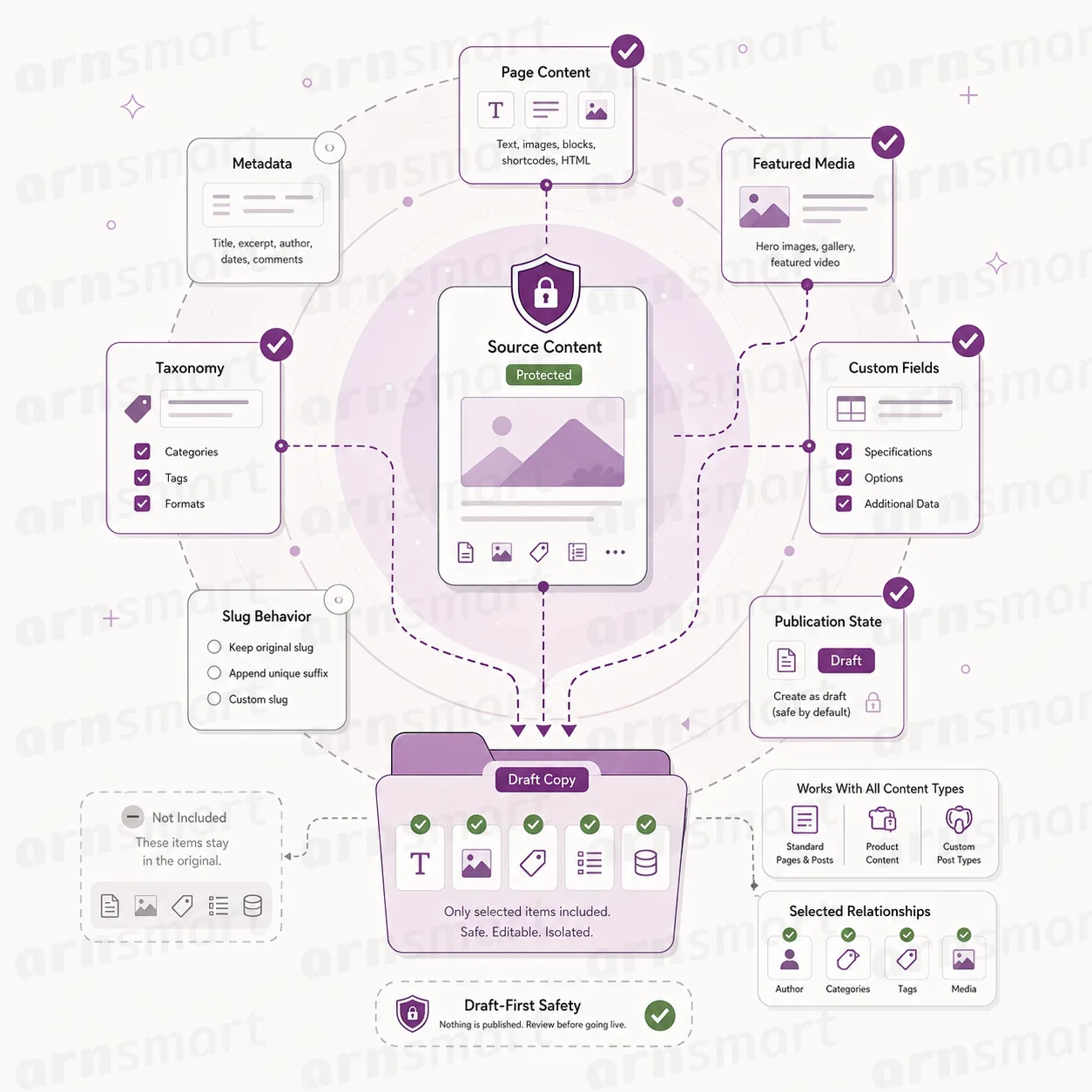
Clonex keeps Elementor layouts and Gutenberg blocks when it duplicates a page, and copies custom and ACF fields, SEO fields, categories, tags and custom taxonomies. Every copy is checked after it is created, and Clonex Pro lets you choose which of these parts the copy keeps.

Elementor Layouts
Open the copy in Elementor and find the same layout.
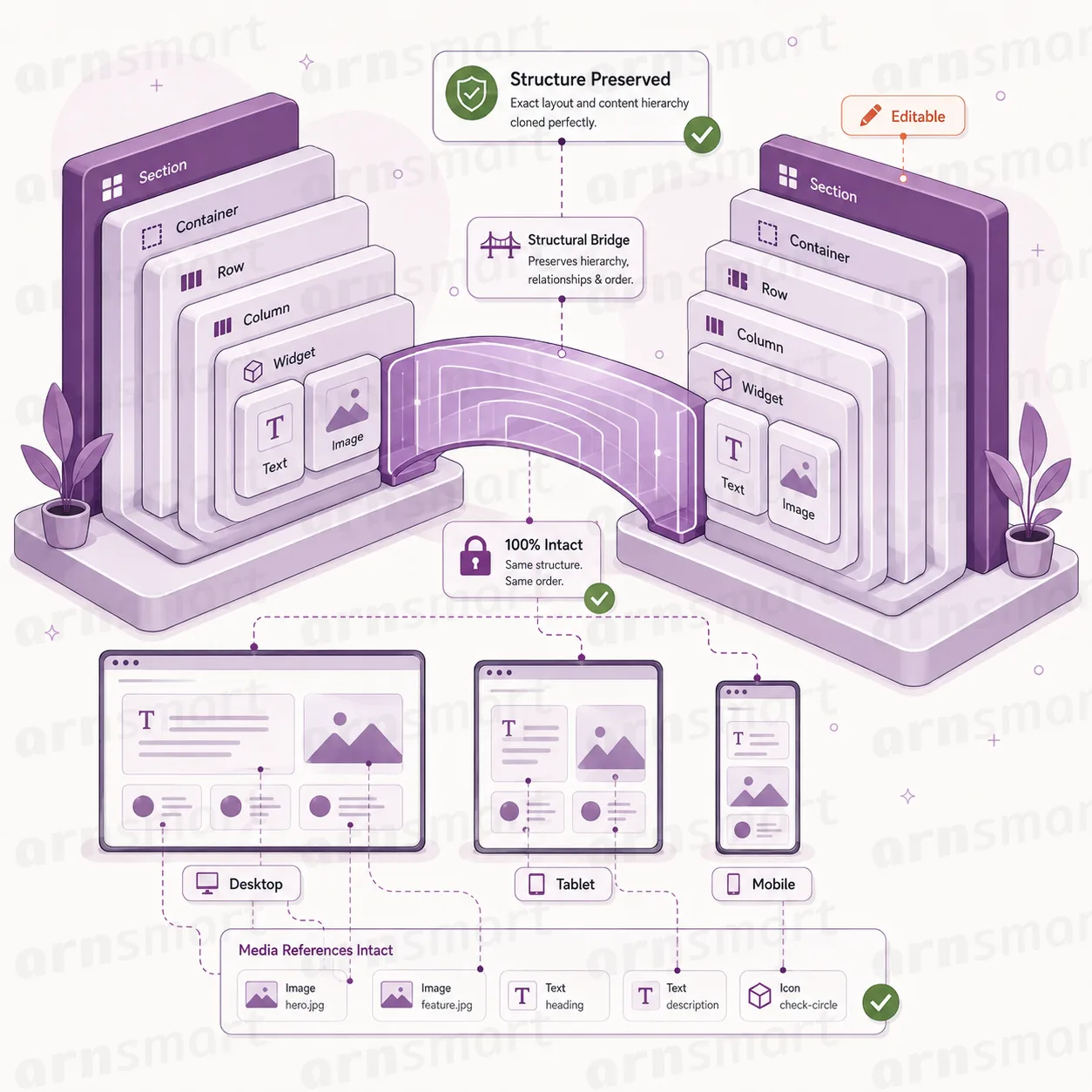
Clonex keeps the Elementor layout when it duplicates a page. Elementor stores the layout as builder data attached to the page rather than as plain editor text. Clonex copies that data with the copy, so the copy opens in Elementor with the same layout as the source and stays fully editable. Both editions do this.
Layout data carried over. The Elementor data and page settings that define the page are copied as stored, not rebuilt from the rendered page.
Fresh page styles. Elementor keeps generated styles for each page. When the Copy action makes an exact copy, Clonex clears them on the copy, so Elementor builds new styles for the new page instead of reusing the source's.
References kept in step. When several items are copied together with internal link rewriting on, references inside the builder data that point to one of them are pointed at its copy.
Editable result. The copy is a normal Elementor page. Change sections, text and images in the copy without touching the source.
Builder data stored by other page builders, such as Beaver Builder, Divi, WPBakery, Avada, Oxygen, Bricks, GenerateBlocks, Kadence and Stackable, is copied with the record as well. The verified scope is Elementor and the block editor; compatibility can vary with the builder version, theme, third-party widgets and how a project stores its content, so Clonex should not be treated as compatible with every builder or extension.
Gutenberg Blocks
Keep block content editable in the block editor.
Clonex keeps Gutenberg blocks when it duplicates a page or post. The block markup is copied as stored, so the copy opens in the block editor with the same blocks, in the same order, ready for editing.
Block structure preserved. Paragraphs, headings, images, groups and other blocks arrive in the copy as blocks, not as flattened HTML.
References inside blocks. When several items are copied together with internal link rewriting on, block settings and links that point to one of them are pointed at its copy.
Replace Text inside blocks. Replace Text works on the stored block content, so names and places in the copy can change after a preview.
Copy stays independent. Editing blocks in the copy has no effect on the source page.
Block-based content from third-party block libraries depends on how those blocks store their data. Review the copy in the editor after duplication.

Custom Fields
Carry ACF, SEO and custom field values into the copy.
Clonex copies the custom fields stored with a record, including ACF fields and SEO fields. Many pages depend on values that live outside the editor, such as a price, an address, a rating or a related record. Without those values, a duplicated page looks complete but behaves differently from the source.
ACF fields. Advanced Custom Fields stores each value together with a hidden reference to its field definition. Clonex copies both, so ACF recognises the fields in the copy.
SEO fields. Titles, descriptions and other values stored by Yoast SEO, Rank Math and All in One SEO are copied with the record.
Other custom fields. Values stored by your theme and plugins are copied as well. Edit locks, old slugs and Clonex's own tracking fields are not copied.
Choose per copy (Pro). The Clonex Pro Duplicate screen, templates and Bulk Duplicate let you switch Meta, SEO Meta, Builder Data and ACF References on or off for each run.
Clonex copies the stored values whether or not the related plugin is active; showing and editing ACF or SEO fields still needs that plugin on the website. Copied values are ordinary field values in the copy, and Clonex Pro placeholders can change them per generated draft.
Taxonomies
Keep categories, tags and custom taxonomies attached.
Clonex copies categories, tags and custom taxonomies to the copy. The copy is assigned the same terms as the source, so it appears in the same archives and filters once it is published.
Categories and tags. Standard WordPress categories and tags are assigned to the copy.
Custom taxonomies. Terms from taxonomies registered by your theme or plugins, such as a location or product type, are assigned too.
Checked after the copy. Clonex compares the terms of the copy with the source and assigns them again if they differ.
Leave terms out (Pro). Switch off Terms on the Clonex Pro Duplicate screen or in a template when the copy should start without terms.
Terms are assigned to the copy; Clonex does not create new terms when it duplicates. To move existing content from one term to another, use Move Category / Taxonomy in Simple Mode or the bulk taxonomy tools described in Bulk Content Changes.
Integrity Checks
Every copy is checked right after it is created.
Clonex checks each copy as soon as it exists and stores the result with the copy. Clonex Pro runs the full check and writes its result to the Debug Console log; Clonex Free runs a lighter version of it.
Leftover references (Pro). Links and IDs that still point to a source item copied in the same operation are reported.
Missing media (Pro). References to images that no longer exist are reported; Clonex Free checks the featured image.
Empty values. An empty title is reported in both editions; Clonex Pro also reports an empty slug, empty Elementor data and an empty page template value.
Unfilled placeholders. A marker such as {city} that is still in the title or content is reported, so a draft with a missing dataset value stands out.
Score (Pro). Each copy receives a score from 0 to 100, and batch runs log the average score and the number of warnings.
| Capability | Free | Pro |
|---|---|---|
| Elementor layouts kept in the copy | Yes | Yes |
| Gutenberg blocks kept in the copy | Yes | Yes |
| ACF, SEO and custom fields copied | Yes | Yes |
| Categories, tags and custom taxonomies copied | Yes | Yes |
| Choose which parts each copy keeps | — | Yes |
| Integrity check after each copy | Lighter check | Full check, logged in the Debug Console |
Integrity checks report findings; apart from re-assigning terms, they do not change the copy. They do not replace a visual review of the copy in the builder.
A Practical Structure Workflow
- Confirm that the source page opens correctly in Elementor or the block editor.
- Duplicate it with Clonex and give the copy its new title.
- In Clonex Pro, choose which fields, SEO values, terms and builder data the copy keeps.
- Open the copy in the builder and review layout, field values and terms; in Clonex Pro, check the Debug Console for integrity warnings.
- Adjust what should differ, then publish the copy yourself.
Questions About Structure & Data
Does Clonex work with every page builder?
No. Clonex keeps Elementor layouts and Gutenberg blocks within the verified scope. Data of other builders is copied as stored, but those builders are outside the verified scope.
Do I need ACF installed to copy fields?
No. Clonex copies the stored field values either way. ACF is needed to show and edit those fields on your website.
Are categories and tags copied in the Free edition?
Yes. Both editions copy categories, tags and custom taxonomy terms. Clonex Pro can also leave them out of a copy.
What does an integrity check change?
Only the terms. If the terms of the copy differ from the source, Clonex assigns the source terms again; every other finding is reported for your review.
Continue Your Clonex Workflow
Reviewed against Clonex Pro 2.0.1 and Clonex Free 1.1.1 · Last updated 29 October 2026