

Skip links

Eagle 3D gives your 3D printing business its own order storefront, a cost engine built for printers and filament, and one connected system for orders, quotes, production, stock, customers and reports — installed on your own server.

Take orders commission-free
Price real printing cost
Every channel, one list
Quotes, production, stock
True profit per print
Self-hosted, your server
CAPTURE
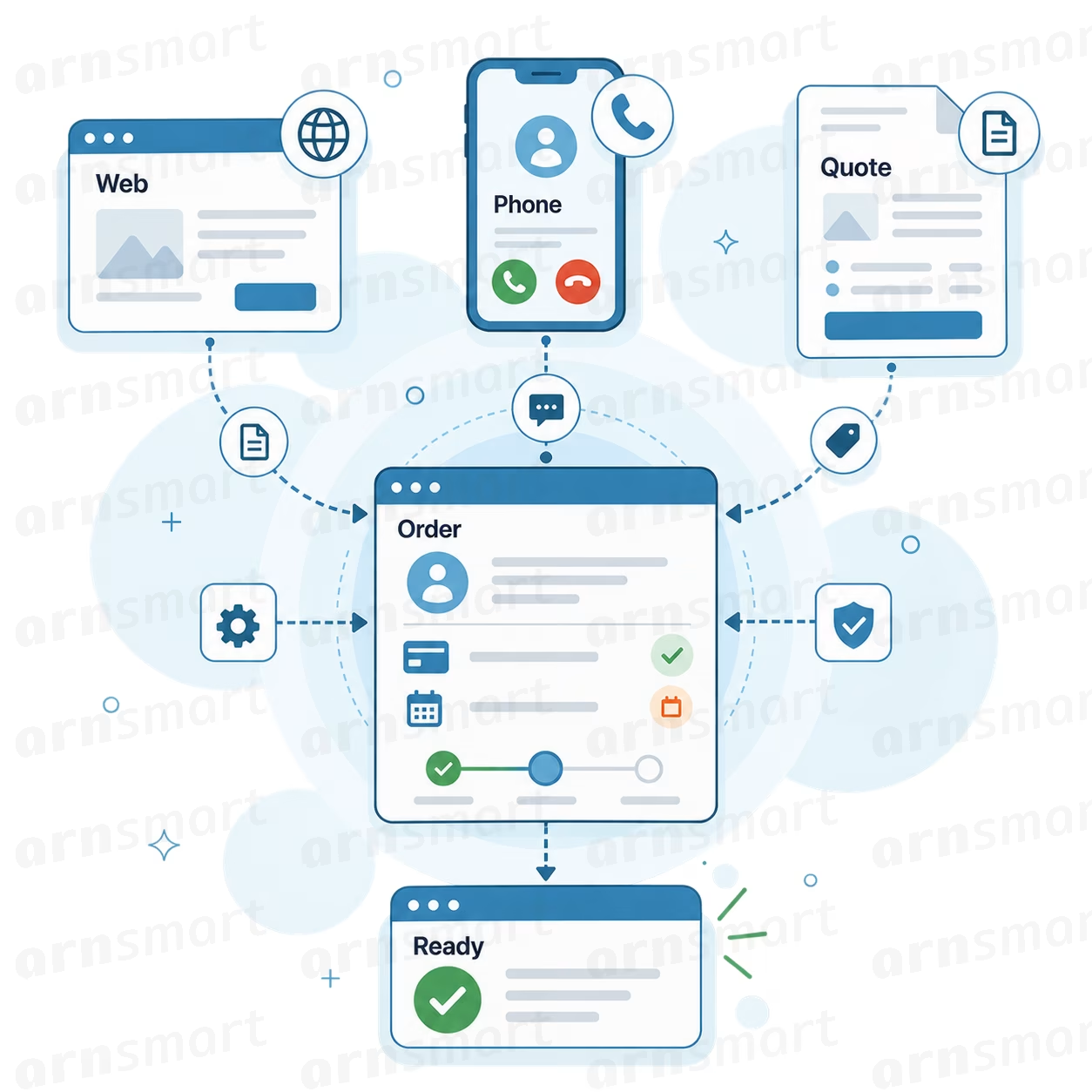
Orders arrive from your online store, WhatsApp, phone or an accepted quote, and are matched to existing customers by phone number.
CALCULATE
Every product is priced from its recipe, printer time and overhead, so cost and margin are known before production starts.
PRODUCE
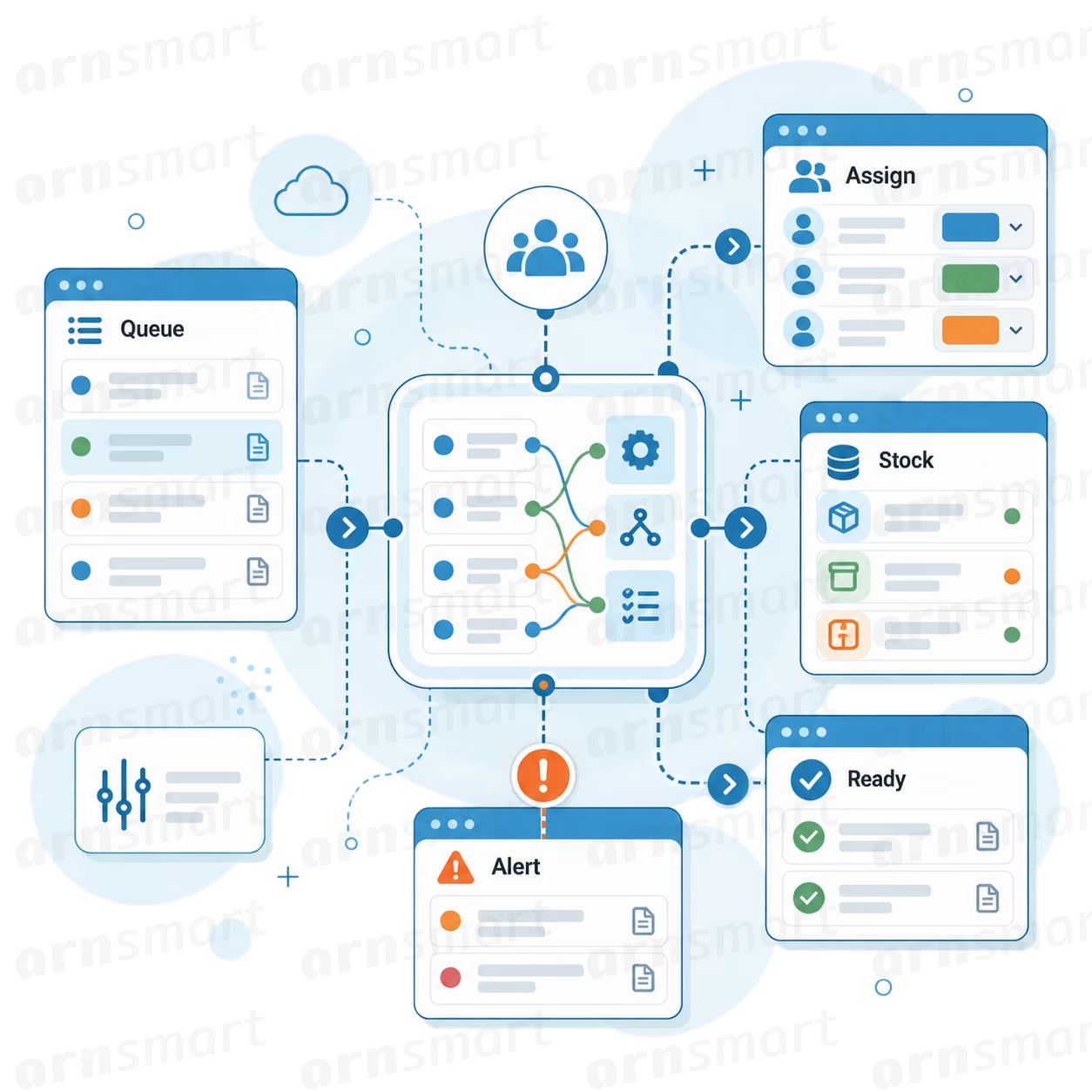
Orders move through clear production stages, with material needs, printer load and stock visible to the team.
DELIVER
Shipping details, tracking links, WhatsApp messages and printed slips go out together, and your web store is updated.
IMPROVE
Reports show which products, channels, cities and printers earn the most, so pricing and production get better every month.
What Is It?
Eagle is a self-hosted order, cost and production management system for 3D printing businesses. It runs on your own server, works on desktop and mobile, and keeps all your business data under your control.
What Is Its Purpose?
It gives small and growing print shops one place to take orders, prepare quotes, calculate real costs, follow production, manage stock and customers, and sync with their online stores.
What Does It Solve?
It solves scattered orders across stores and messaging apps, marketplace commissions on direct customers, guesswork pricing, hidden production costs, forgotten due dates, duplicate customer records, manual status updates and reports that show revenue but not profit.
Eagle3D-02-orders

Eagle 3D gives every order one clear record. The customer, the products and custom work, the agreed price, payment, due date, shipping and production status all live in it. Quotes become orders with one click, and profit is saved on every line when the order is confirmed.

Phone number fills in known customers automatically
Catalog products and custom lines in one order
Eight production stages from "Received" to "Completed"
Due dates with overdue warnings on the dashboard
Payment and balance tracking per order
Quotes convert to orders in one click

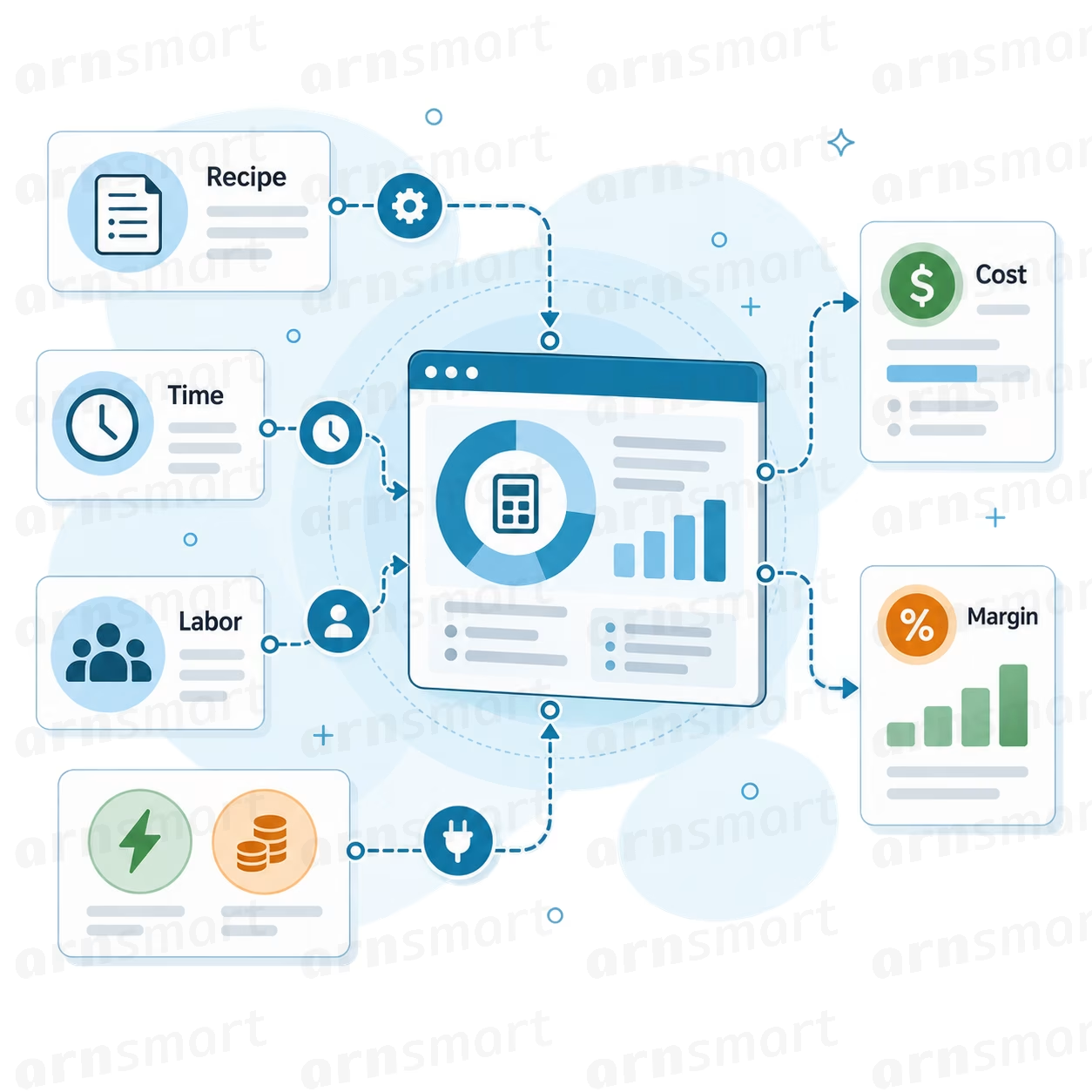
Eagle 3D’s cost engine builds each product’s cost from its recipe. It covers filament and waste, extra materials, electricity based on printer wattage, machine depreciation, labor time and a fair share of overhead. Overhead is spread by effective machine capacity, and each printer carries its own maintenance cost and failure rate.
Multi-filament recipes with waste percentage
Electricity and depreciation calculated per printer
Overhead by utilization or fixed cost
Sales-channel commission and fixed fees included
Cost and profit frozen at order confirmation
Margin and markup shown for every product and order
Eagle3D-03-cost
Eagle3D-04-production

Manage printers, filaments, materials and product recipes in one production area. Plan how much material an order set needs, compare filament prices across suppliers, and switch on the optional stock module to track what you have, what you paid, and when it is running low.

Printer profiles with cost and reliability data
Filament catalog with prices from multiple suppliers
Production planning with total material requirements
Quick cost calculator for new or one-off jobs
Optional stock for filament, materials and products
Automatic stock deduction on shipment and low-stock alerts

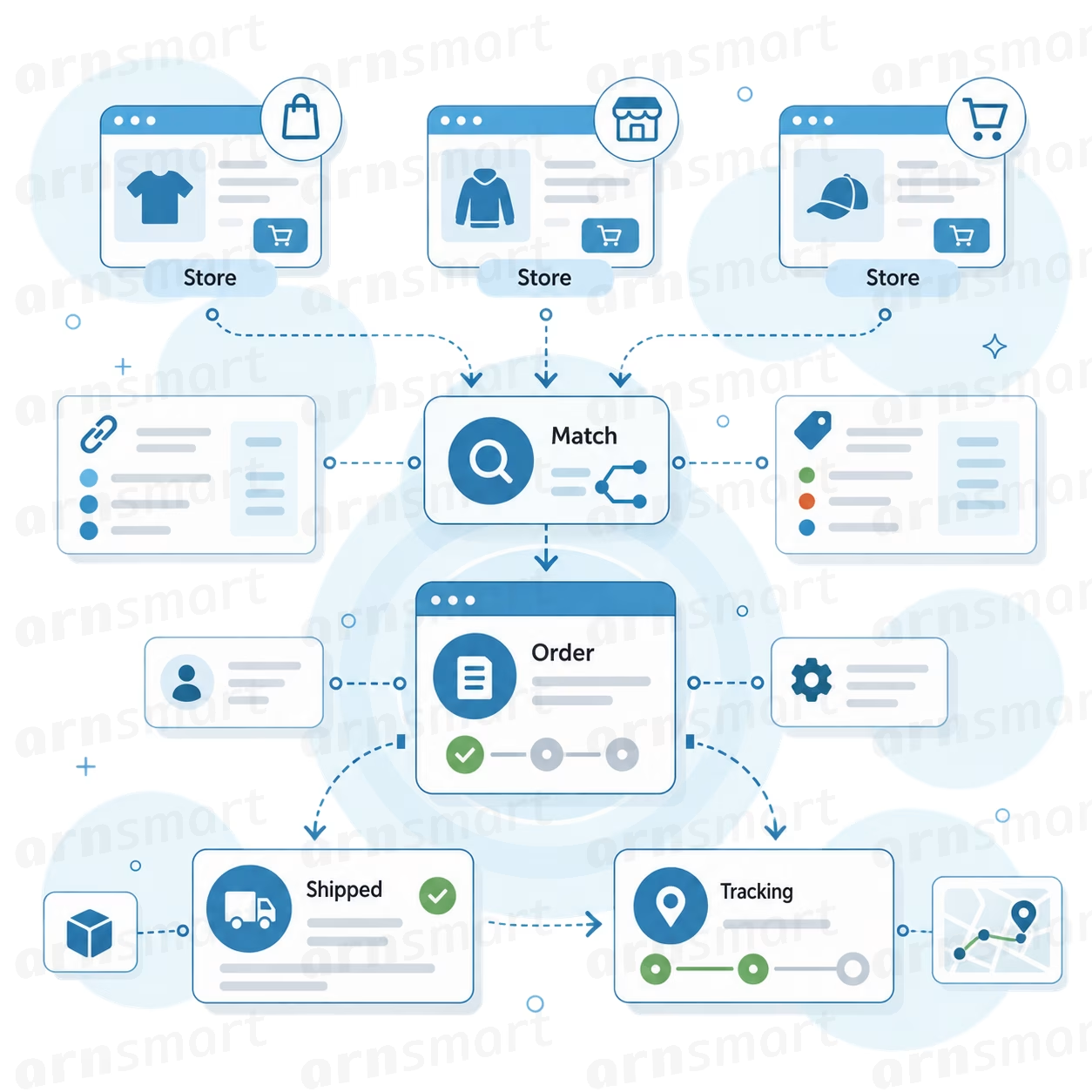
Connect your online store and Eagle 3D imports paid orders automatically, together with the customer, address, products and shipping fee. Products are matched by SKU, and anything unmatched waits in a pending list until you map it once. When you mark an order as shipped, Eagle can complete it in your store and add the tracking number. It connects to WooCommerce, Shopify, BigCommerce, Ecwid, PrestaShop, Wix and Square Online — so paid orders flow in automatically, with customer, address, products and shipping fees.
Multi-store connection
Paid orders imported with customer and address details
SKU matching, one-time mapping for unmatched products
Shipping and fees imported as separate lines
Optional write-back: completed order and tracking
Store API keys encrypted on your server
Eagle3D-05-store-sync
Eagle3D-06-customers

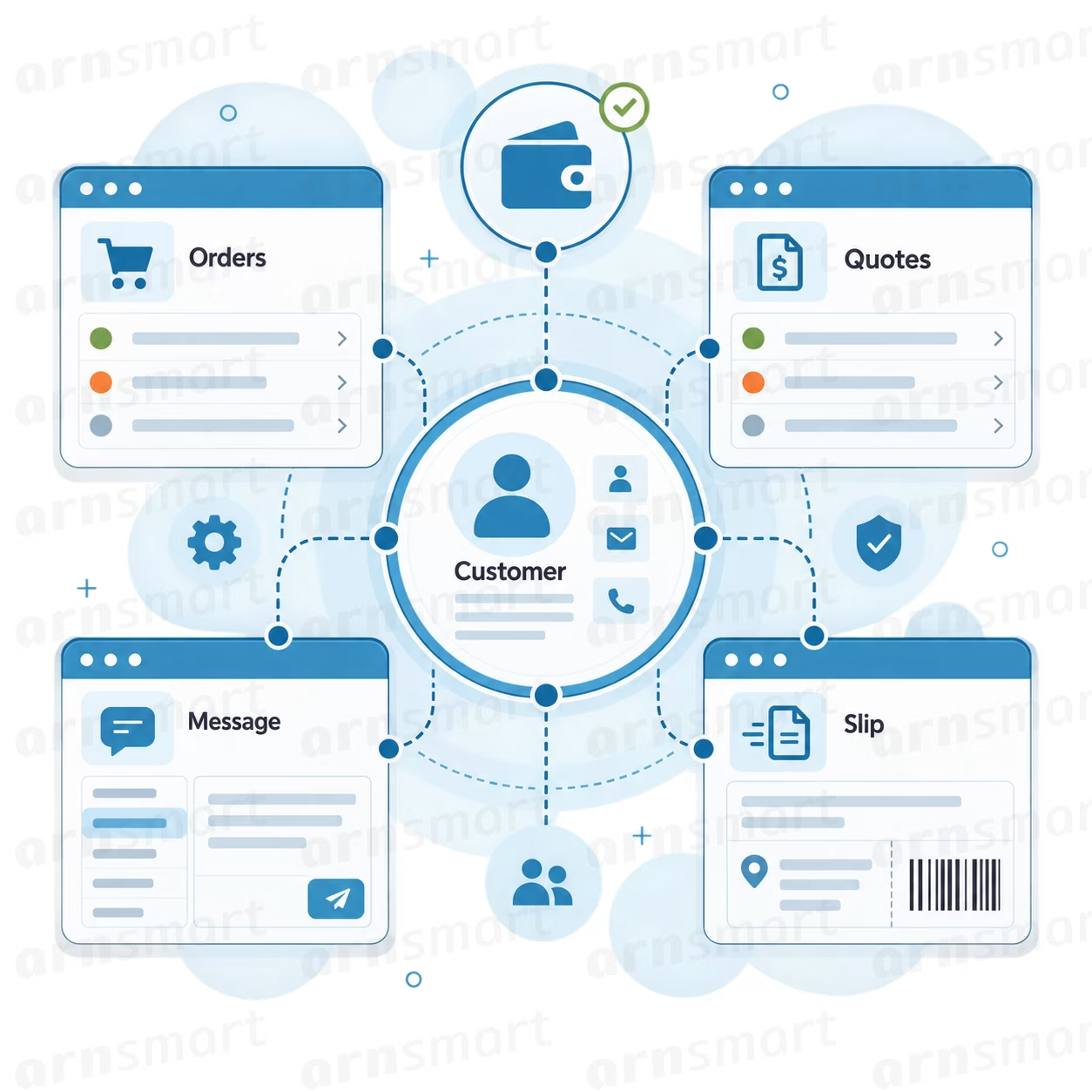
Each customer has one record, identified by phone number, with company, WhatsApp, email and address. It shows their full order and quote history, revenue and open balance. Ready-made WhatsApp templates and printable slips keep communication consistent and fast.

One record per customer, no duplicates across channels
Order history, quotes, revenue and open balance on one screen
WhatsApp messages for new order, shipping and payment
Editable message and print templates with order variables
Cargo slips and workflow slips, printed one at a time or in bulk
Printable quotes for customers
Real cost frozen per order line
Cost breakdown per product
Sales-channel commission included
Margin and markup visible everywhere
Products sold below cost are surfaced automatically
Price decisions backed by evidence, not by feel
You cannot fix a margin you cannot see.
Eagle3D-09-store

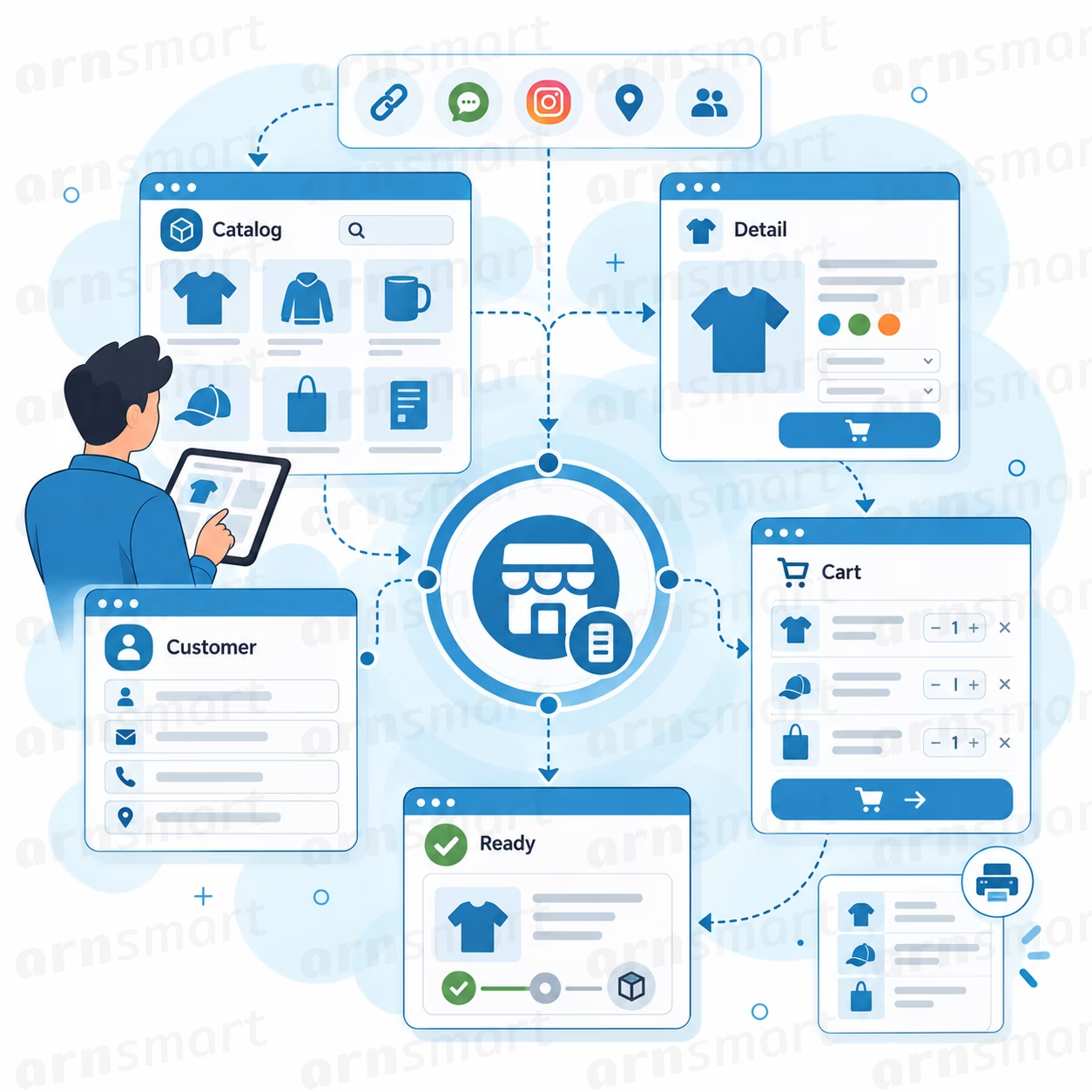
Many print businesses don’t need a full e-commerce platform with monthly fees and transaction charges. They just need a simple, professional place to show products and take orders. Eagle 3D gives you exactly that: share one link on Instagram, WhatsApp or your website, and customers order directly from your catalog. The order arrives in Eagle 3D with customer, products and real cost already connected — and you keep 100% of the sale.

Ready-to-share order link
Product images, tabs and formatted descriptions
Cart and four-step checkout
Mobile-first design with 12 languages (incl. RTL)
Bank transfer details and WhatsApp contact
Order tracking with zero commission per order

Eagle 3D speaks the language of your team and your customers. Twelve languages ship with the system, including full right-to-left support for Arabic, Hebrew and Persian. Fonts are bundled with the installation, so every screen renders correctly without calling external services, and adding a new language takes a single translated file.
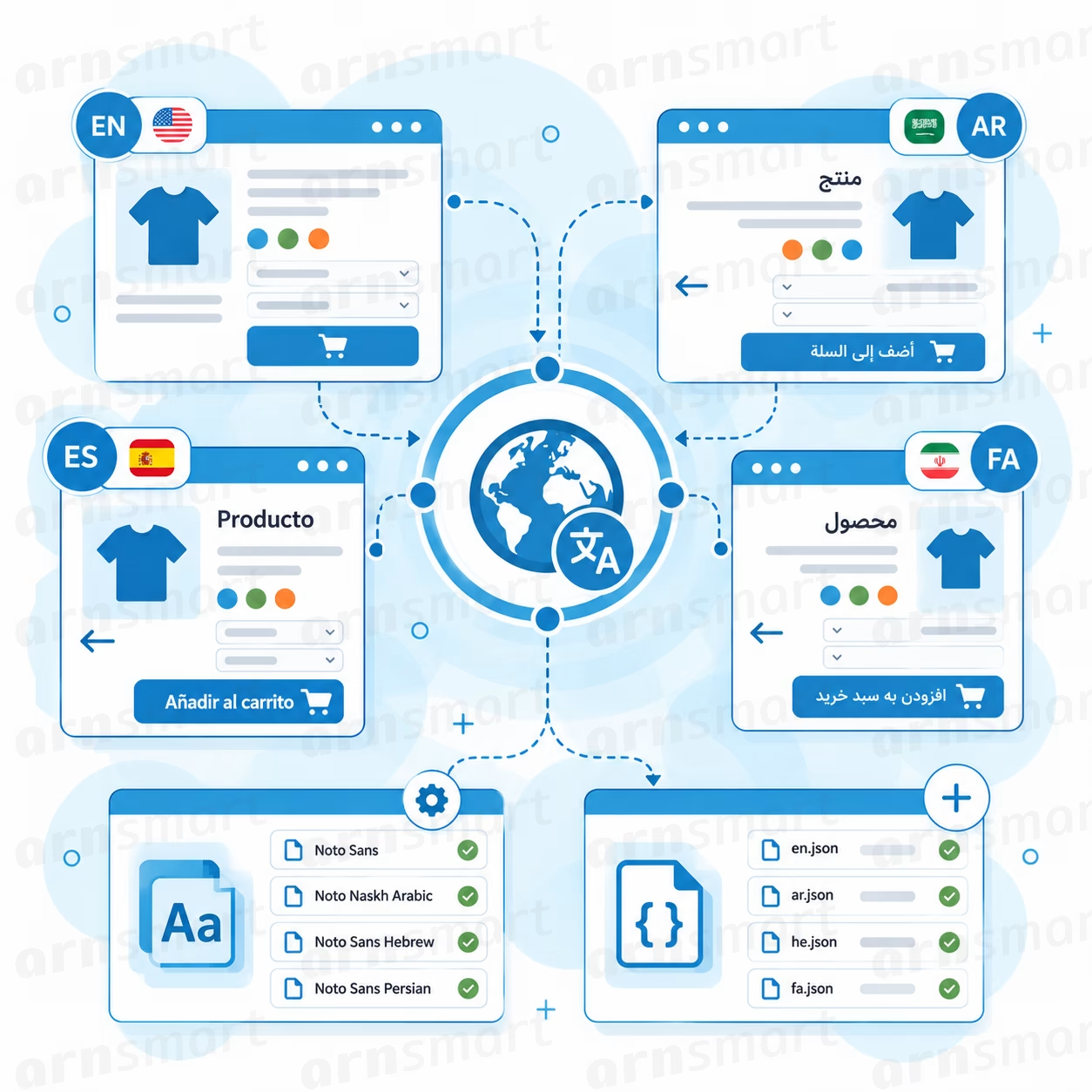

Twelve languages are ready from day one
Right-to-left layouts work on every screen
Fonts load without third-party requests
Customers order in their own language
Mixed-language product names stay readable
New languages start from a single file
Eagle3D-10-multilanguage-rtl-es
Eagle3D-07-reports

Eagle 3D’s reports are built on the frozen cost of every order line, so every figure reflects real profit. Compare products, printers, months, cities and sales channels over any date range. Then find the items that earn the most per print hour, because machine time is the real limit of every print shop.

Machine report: printer hours, capacity usage and profit per hour
ABC analysis of the products that drive your revenue
Product profitability with cost breakdown
Monthly sales, top cities and sales-channel performance
Efficiency matrix: profit per print hour against sales volume
Dashboard alerts for overdue orders and low stock
Catalog Clarity
Every product appears with its image, name and price, grouped into category tabs. A single tap opens details with a larger image and a rich description.
Four-Step Ordering
Customers choose products, review their cart, enter contact and delivery details, and confirm the order. Their cart is kept even if they close the page, and each step is built for a phone screen.
Your Rules
Show every active product that has a price, or choose exactly which products appear online. Prices are always taken from your catalog on the server, so there is nothing to keep in sync.
Payment Freedom
After ordering, customers see your bank transfer details and a WhatsApp button to reach you. Eagle never stands between you and your customer, and it never takes a share of the payment.
Instant Production
Every storefront order becomes a normal Eagle order: matched to the customer, priced on real costs and placed into production. You are notified by email the moment it arrives.
Built-in Languages
Ships with English, Turkish, Arabic, Hebrew, Persian, German, French, Italian, Spanish, Dutch, Russian and Greek. Right-to-left layouts mirror every screen, and bundled fonts cover Latin, Arabic, Hebrew, Cyrillic and Greek with no external requests.
Operations dashboard with overdue and low-stock alerts
Order management with 8 production stages
Custom lines (design, service, packaging)
Due dates and overdue tracking
Payment and balance tracking
Shipping details and tracking links
Quote system with one-click order conversion
Printable quotes
Cargo and workflow slips (bulk print)
Product catalog with recipes
Multi-filament and material recipes
Printer profiles with depreciation and electricity
Overhead allocation by machine capacity
Printer maintenance and failure rate
Sales-channel commission and fees
Tax settings
Cost and profit frozen per order line
Quick cost calculator
Production planning and material needs
Filament prices from multiple suppliers
Supplier management
Optional stock module with purchase prices
Automatic stock deduction and low-stock alerts
Staff costs in overhead
Suggested hourly labor rate
Commission-free order storefront
Store Connections
SKU matching and pending order mapping
Write-back of shipped status and tracking
Twelve languages with RTL support
WhatsApp message templates
Customer records with history and balance
Automatic customer fill by phone number
Editable message and print templates
Machine and capacity report
ABC product analysis
Product profitability report
Sales by month, city and channel
Profit per print hour efficiency report
Individual and company business profiles
Users and roles: admin, operations, production, view-only
Configurable categories and value lists
Country-aware phone formats (37 countries)
Currency, number format and time zone settings
English and Turkish interface
Manual and daily automatic backups with restore
Installable mobile app (PWA)
Mobile layout with bottom navigation
Self-hosted: your data on your own server
Encrypted store credentials
Login protection and secure sessions
arnix-cta2