

Clean WordPress with proof, not guesses.
DualFix scans, classifies and verifies site clutter before cleanup, takes a Safety Snapshot before every deletion, and manages backups, restore and scheduled maintenance from your own server.
- Plugin registry: Elementor data protected
- No active owner for 128 items
- 2 items held back: in use
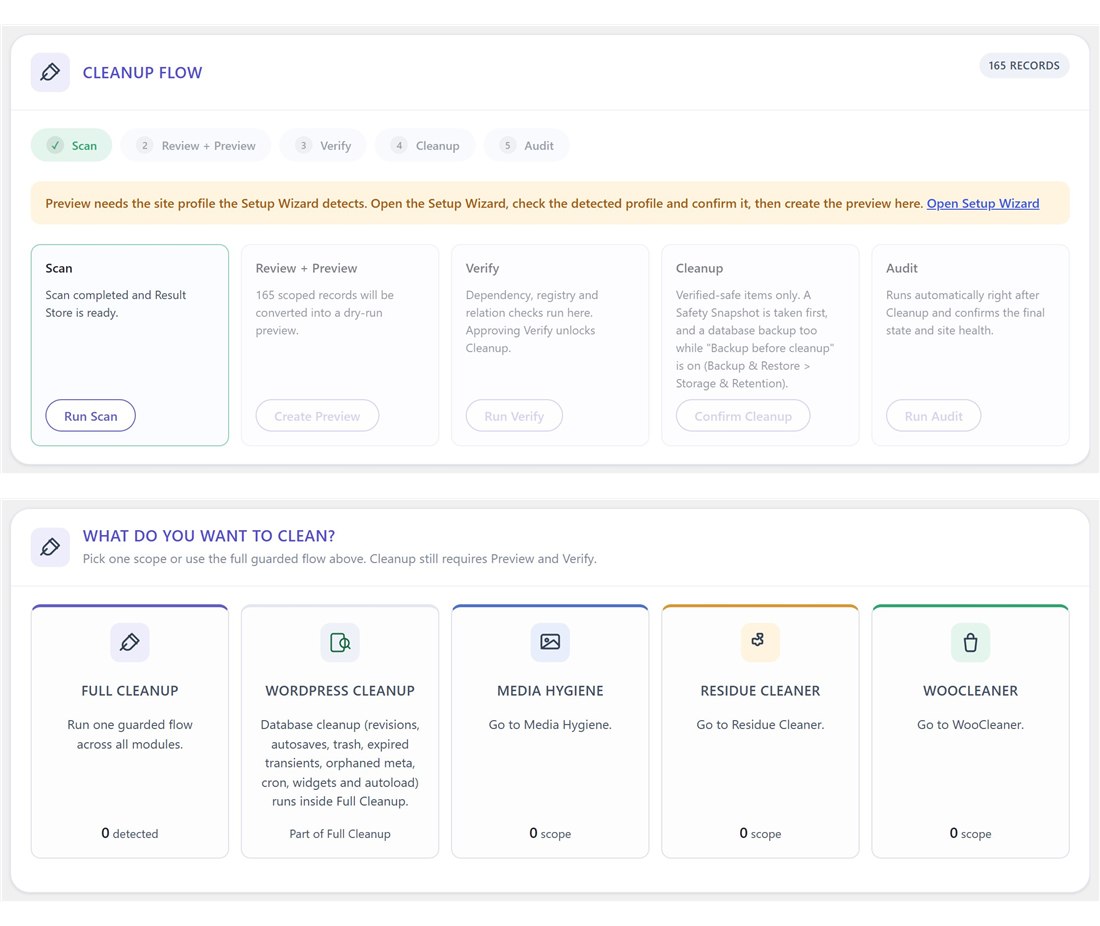
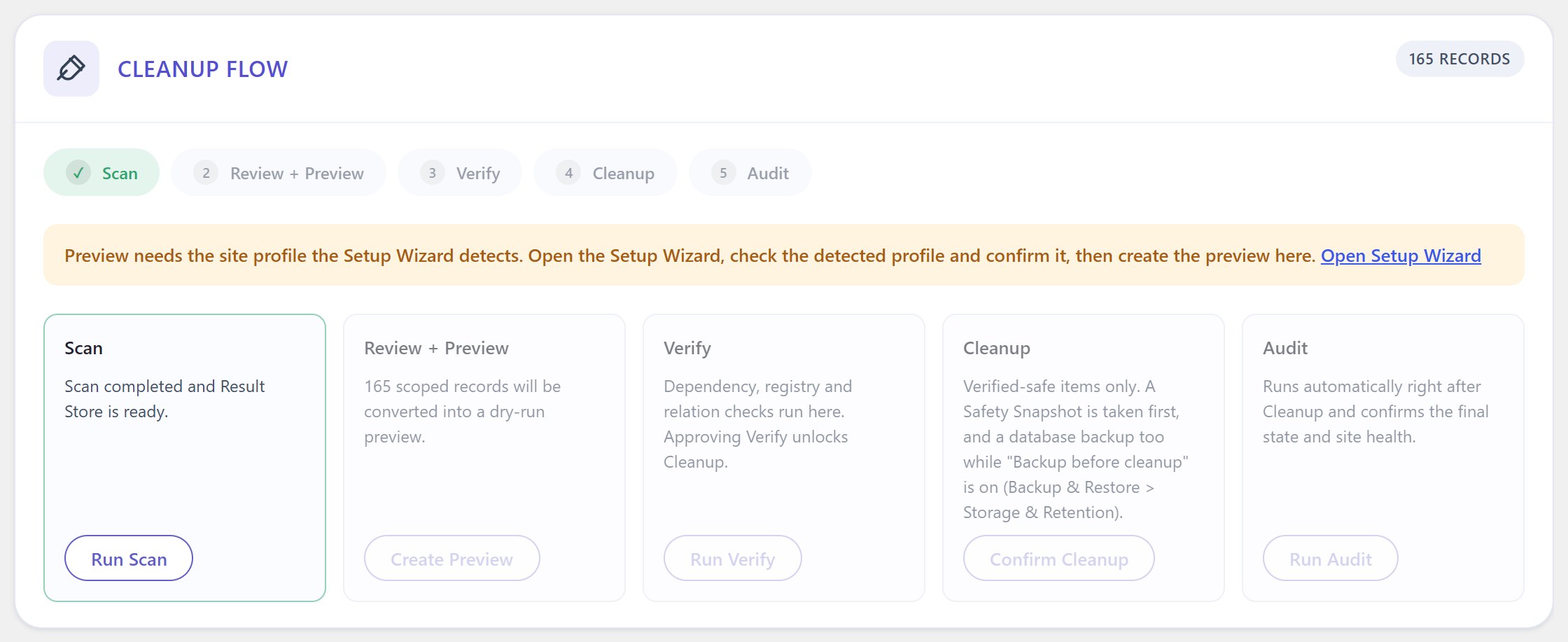
Scan. Each area is scanned on its own and every finding gets a risk class.
Screens
DualFix in the WordPress admin
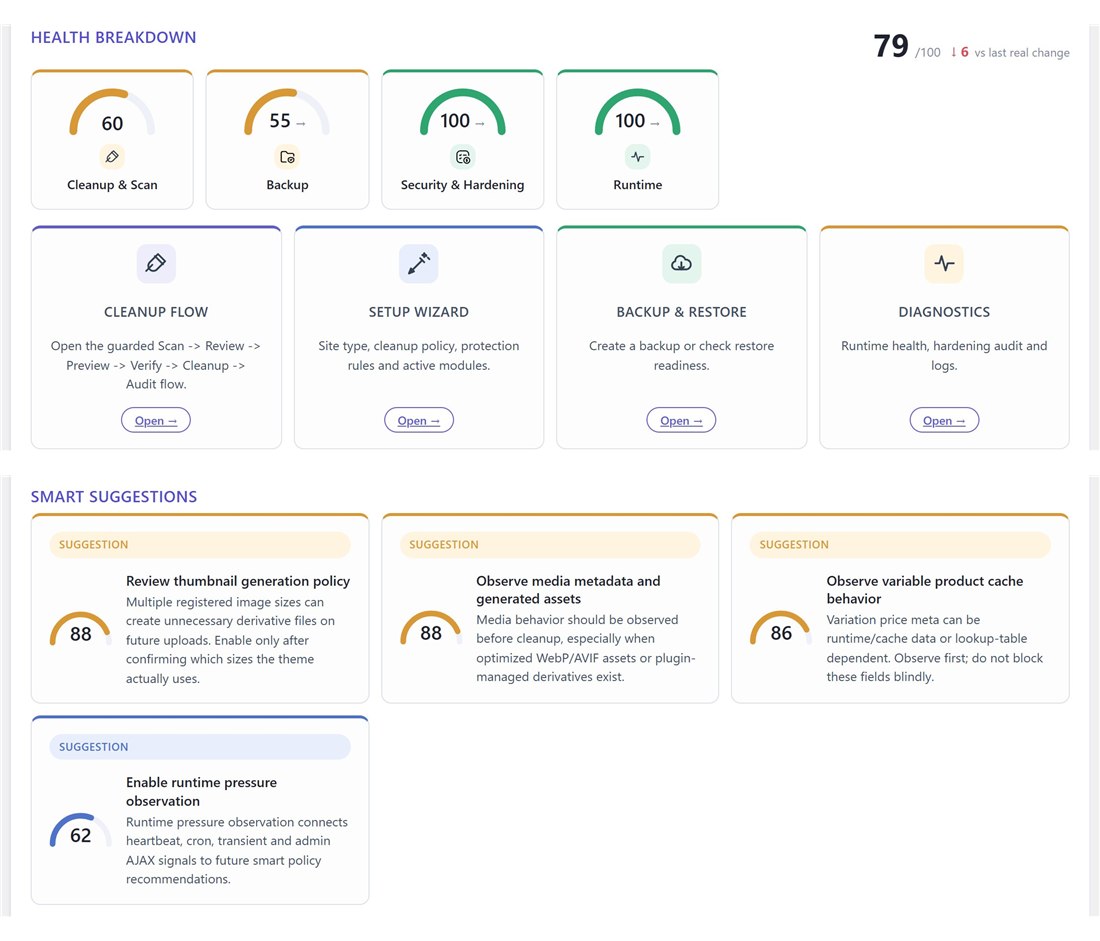
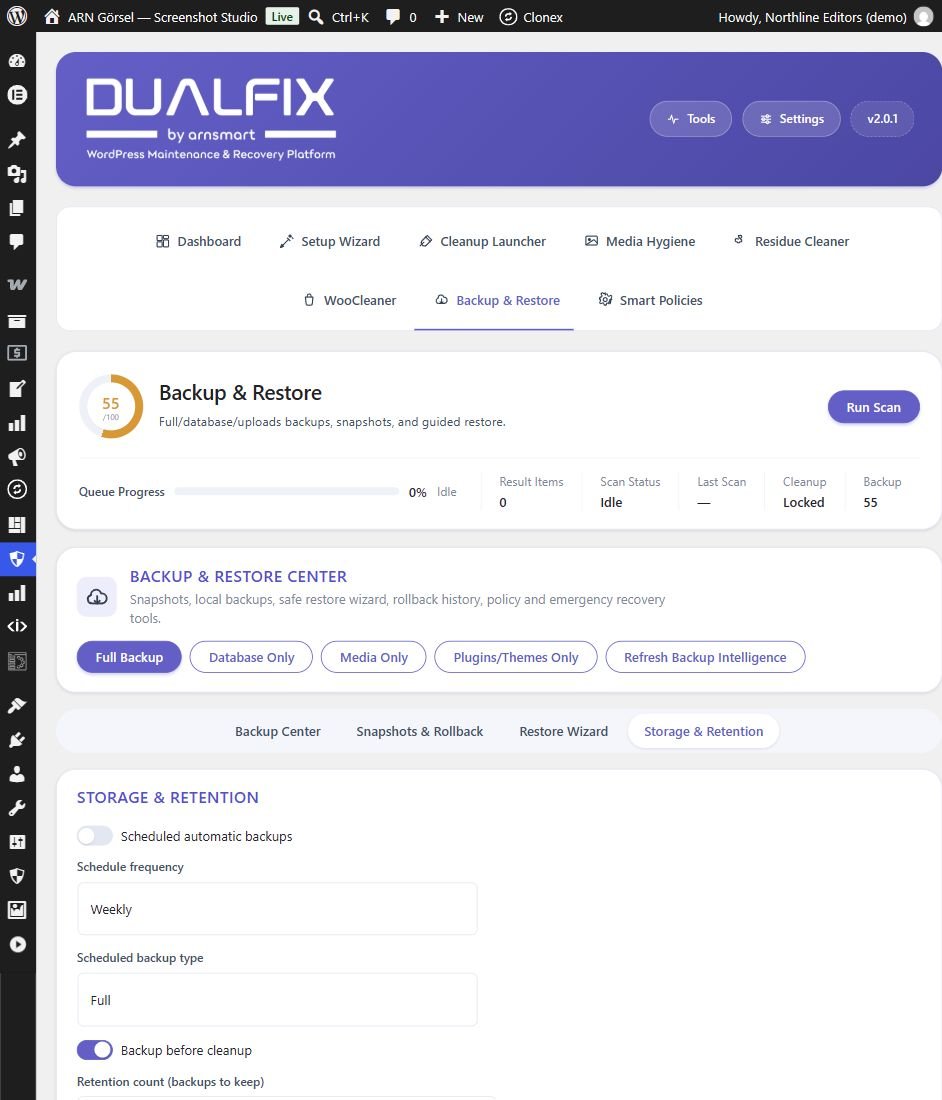
One maintenance workflow
Decide what is safe before anything is deleted.
A one-click cleanup removes what looks unused, but it cannot tell whether an active plugin or an order still depends on it. DualFix separates the work into connected stages.
- Scoped scans that classify every finding as safe, needs review, dangerous or protected Free
- Cleanup locked until verification passes, with a Safety Snapshot first Free
- Backups, guarded restore and one-click rollback Free
- Media, residue and WooCommerce scopes, Smart Policies, off-site copies and AI Diagnosis
Explore DualFix
Five parts in two groups.
Each part has its own page. The menu at the top holds the same map.
Clean
Guarded scans and cleanup, from the database to the store.
Protect and run
A way back, a schedule and a clear picture of the site.
How DualFix works
Four stages behind every cleanup
1. Understand the site
The Setup Wizard detects hosting, media, plugins and store, so later steps know what must stay protected.
2. Scan and classify
Each area is scanned on its own; data owned by active plugins stays out of reach.
3. Verify, snapshot and clean
Cleanup stays locked until verification passes; a database backup and a Safety Snapshot come first.
4. Audit and keep the way back
An audit confirms the result; backups, rollback and guarded restore stay available.
Built for production sites
Who uses DualFix
Site owners
Remove database clutter through a guarded process instead of a one-click deletion.
Agencies
Maintain many client sites with the same pipeline, Auto Mode, alerts and a Network Overview.
WooCommerce stores
Clear expired sessions and abandoned carts while orders and products are protected by rule.
Website teams
Keep verified backups, off-site copies and diagnosis reports ready.
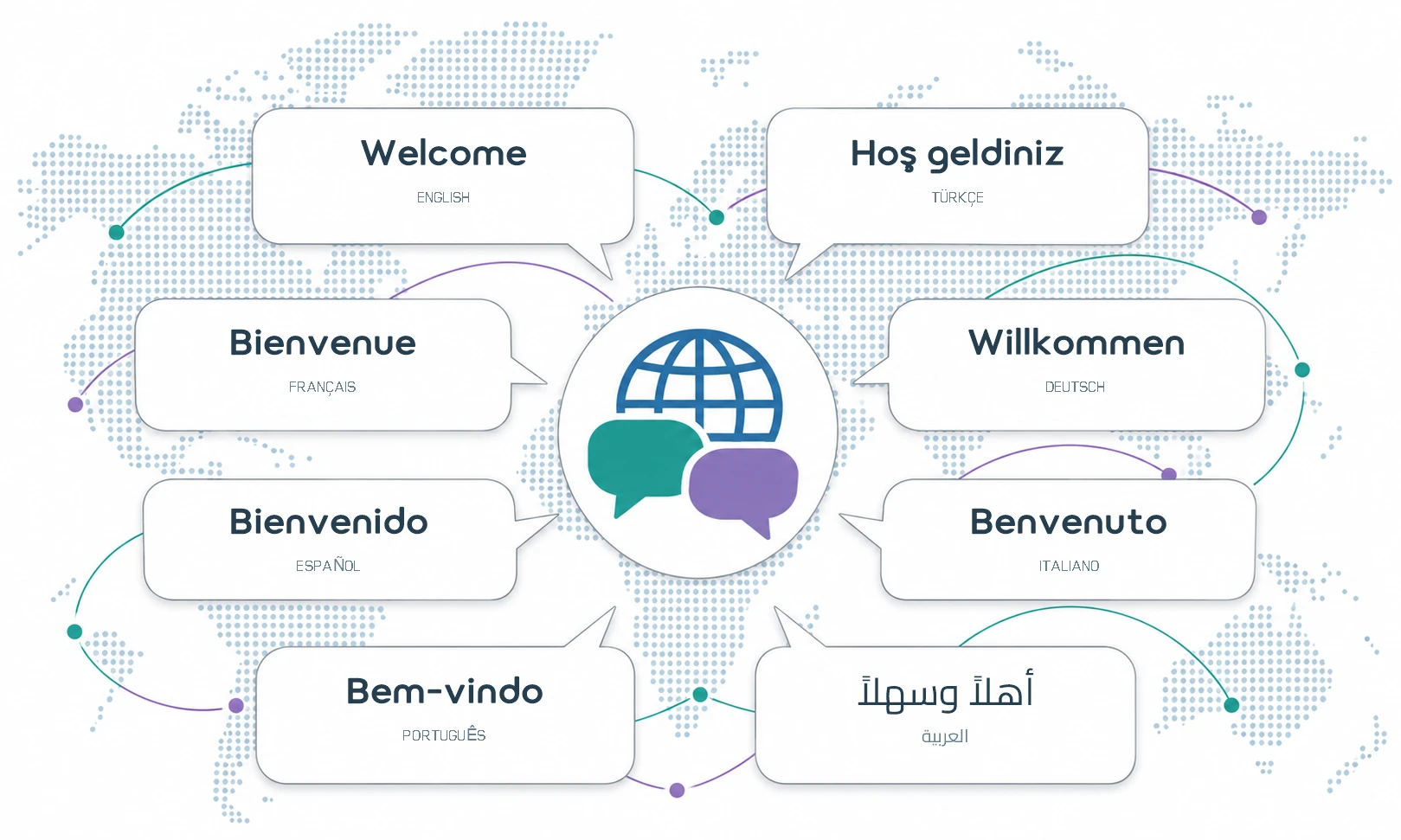
12 languages
DualFix speaks your language.
DualFix comes in English and 11 more languages, and its screens follow the language set in WordPress.
- English
- German
- Spanish
- French
- Italian
- Japanese
- Dutch
- Polish
- Brazilian Portuguese
- Russian
- Turkish
- Arabic
Free and Pro both include the translations. In Pro the shared ARN Center and AI screens are translated too, so licensing and AI settings appear in the same language.
Questions
Before you choose DualFix
What does DualFix need?
WordPress 6.0 or later and PHP 7.4 or later; tested up to WordPress 7.1 and with PHP 8.5. It also works on WordPress sites that use SQLite.
Does a scan delete anything?
No. A scan only reads and classifies. Removal happens after verification has passed and a Safety Snapshot has been taken.
Can I undo a cleanup?
Yes. Every cleanup is preceded by a Safety Snapshot, and rollback restores what that cleanup removed in one click.
Does Auto Mode start on its own?
No. Auto Mode stays off until you turn it on and choose a daily, weekly or monthly schedule.
What does the Free edition include?
DualFix Free, ARN Smart Cleanup and Recovery, covers database cleanup, backups, guarded restore, Safety Snapshots and rollback, Auto Mode, alerts, the Setup Wizard, the health score and the Network Overview.
What does DualFix Pro add?
Media hygiene, residue detection, WooCommerce care, Smart Policies, safety settings, scheduled scans, off-site copies to S3-compatible storage or FTP, and AI Diagnosis with private-data masking.
Does DualFix Free unlock into Pro?
No. The two editions are separate plugins with their own settings and data.
Can WooCommerce cleanup remove an order?
No. Existing orders and live products are protected by rule and are never eligible for cleanup.
What happens if the Pro licence expires?
The plugin stays installed and your data is kept, but scanning, cleanup, backup and automation lock until the licence is valid again.
Do visitors wait for licence checks?
No. The licence, update checks and file verification run in the background; visitor, AJAX and REST requests never contact the licence server.
Start free. DualFix Pro: $39 for one website for one year.
DualFix Free covers the guarded database cleanup with backups, restore and the recovery toolkit. DualFix Pro adds the media, residue and store scopes, Smart Policies, off-site copies and AI Diagnosis. For agency licensing, contact ARN Smart.