

VERIFIED BEFORE DELETION, REVERSIBLE AFTER IT
Guarded Cleanup
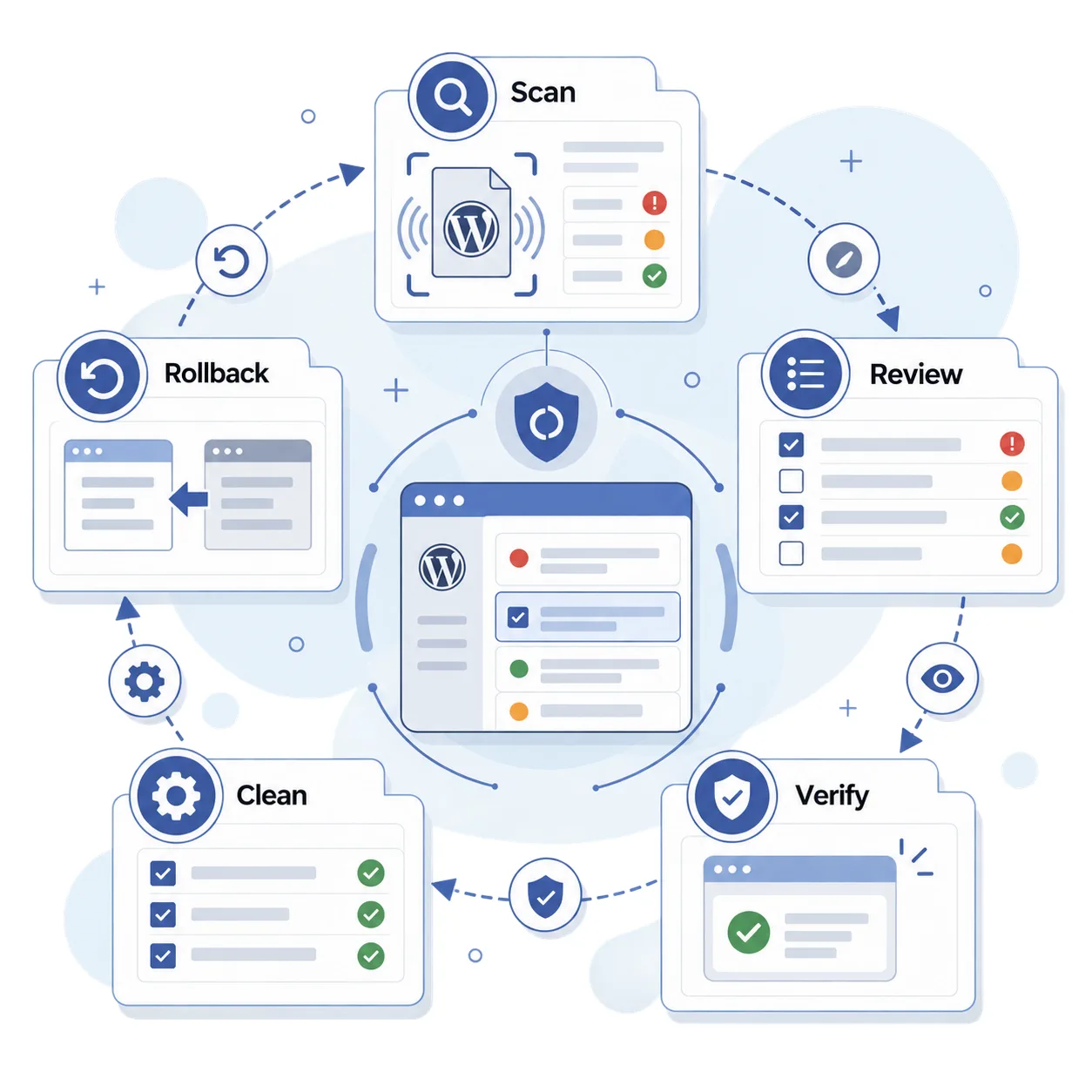
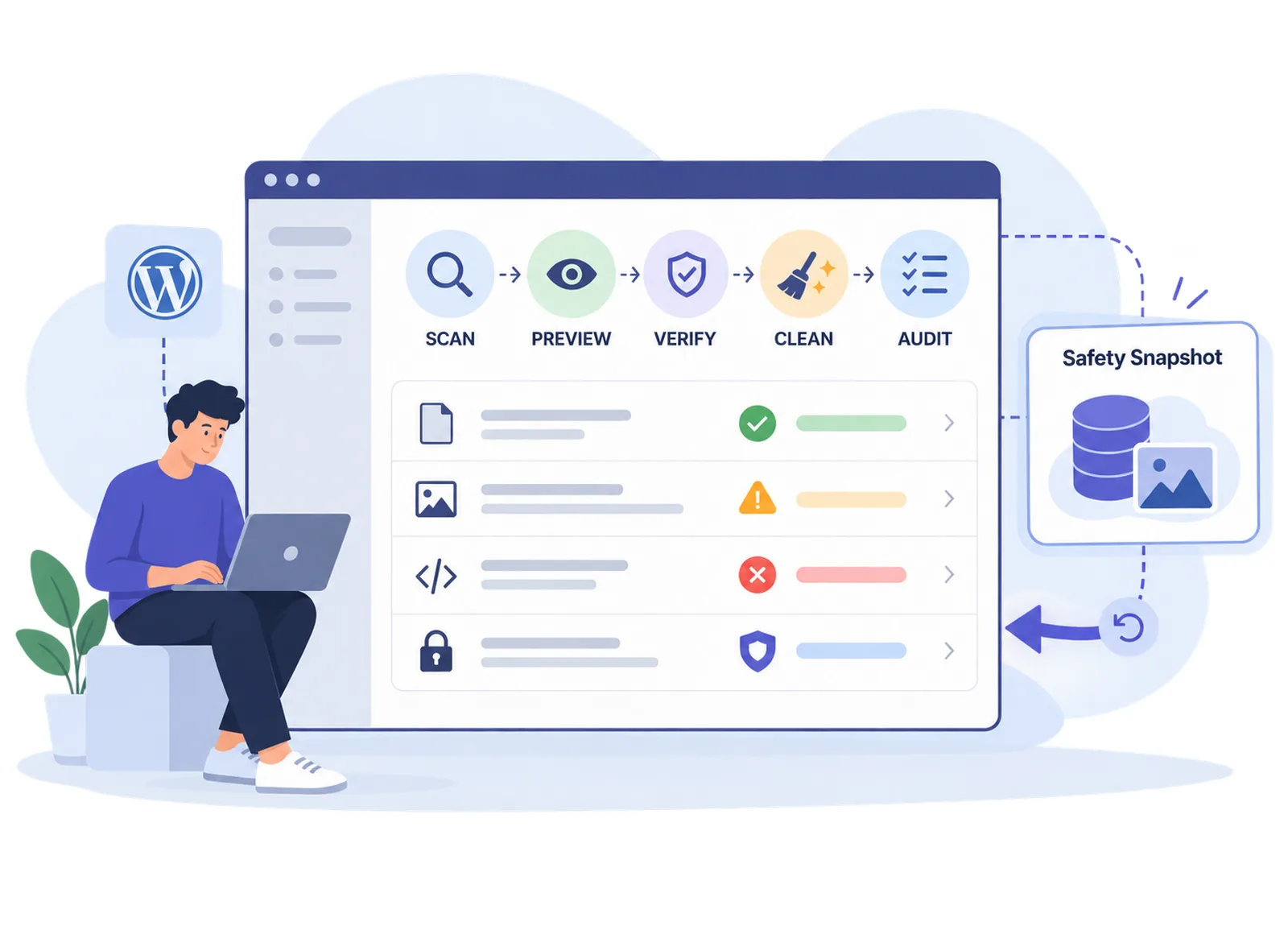
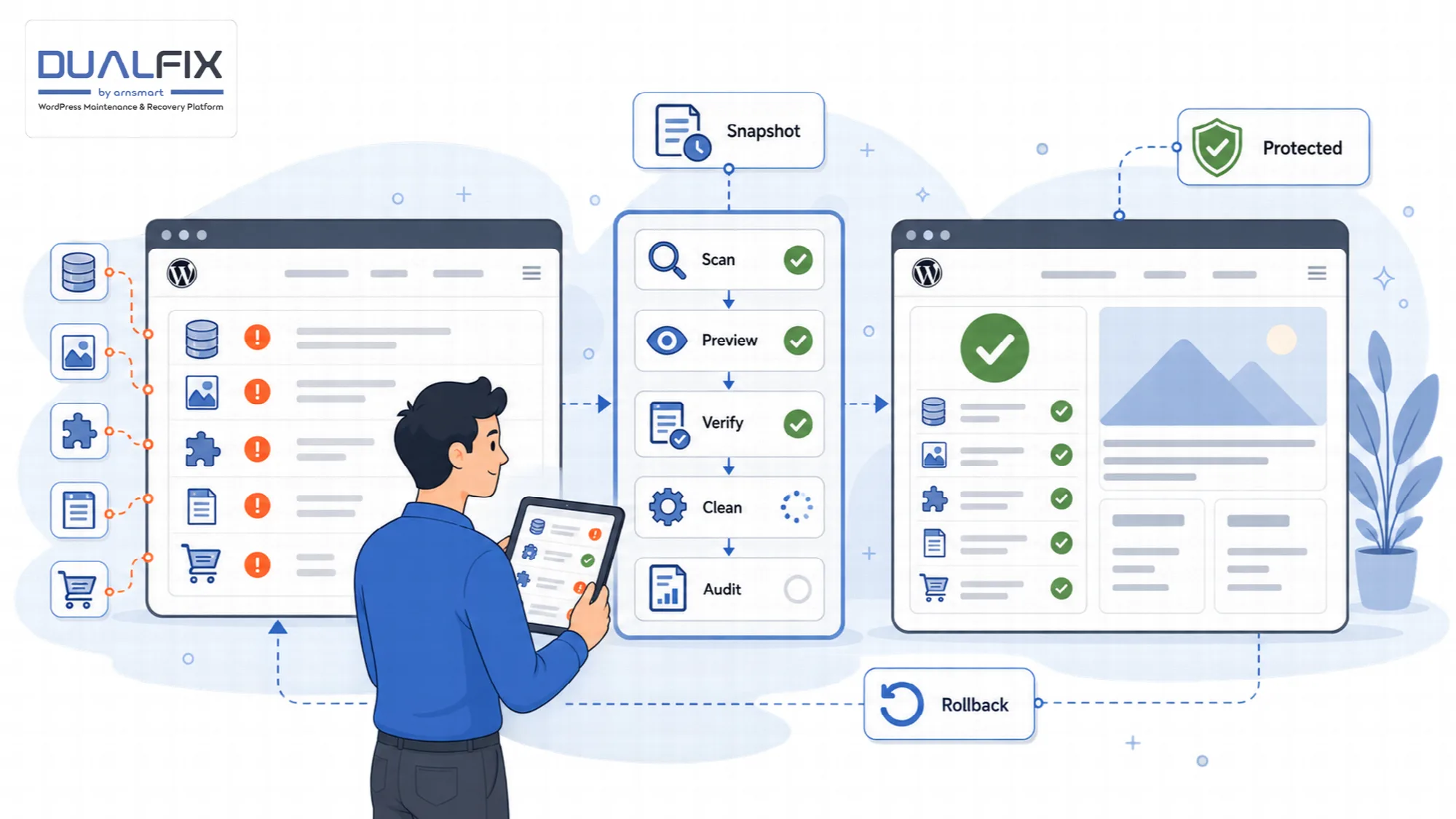
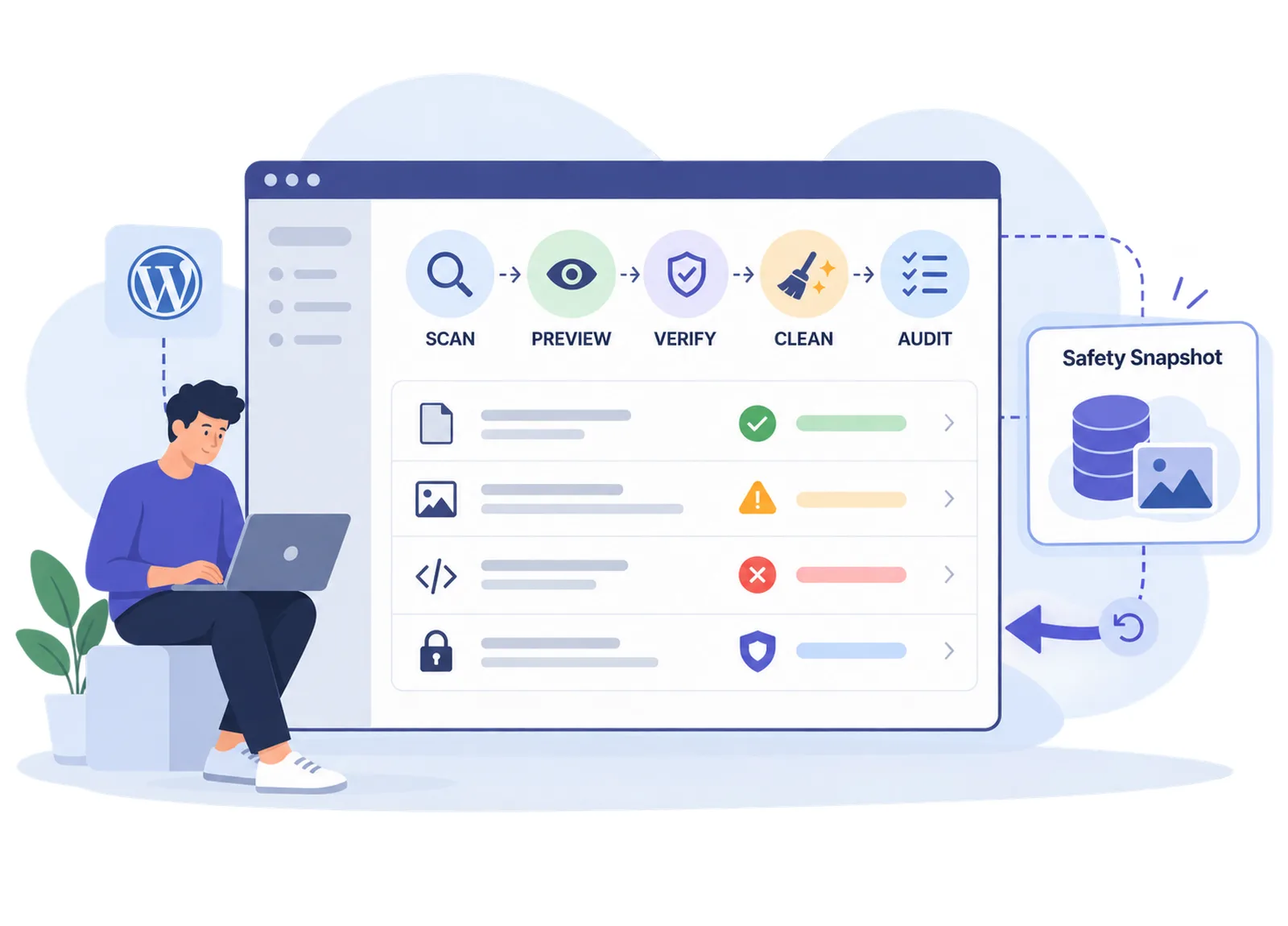
DualFix cleans WordPress through a guarded pipeline: each area is scanned on its own, every finding is classified as safe, needs review, dangerous or protected, cleanup stays locked until verification passes, a Safety Snapshot is taken first and an audit confirms the result.
Scoped Scans
Examine one area of the site at a time.
DualFix scans each area of the site on its own instead of running one blind global scan. General WordPress data, media, plugin and theme residue and WooCommerce data are separate scopes, each with its own findings and its own cleanup decision.
A scoped scan keeps results readable. You can review the database scope today and leave media or store data for a later session, without one list mixing unrelated items.
Choose the scope. Start a scan for the area you want to review and keep other areas untouched.
Read the findings. Each scan ends with a classified list for that area, ready for preview and verification.
Keep results separate. Each scope carries its own findings into preview, verification and cleanup.
Media, residue and WooCommerce scopes are described on their own page. Those scopes are available in DualFix Pro; the database scope is included in DualFix Free.
Risk Classification
Know why an item is on the list before you decide anything.
Every finding is classified as safe, needs review, dangerous or protected the moment it is found. A list of "unused" rows is not a decision; the class tells you how DualFix judged the item and how much attention it needs from you.
| Class | Meaning | What happens next |
|---|---|---|
| Safe | No active owner or dependency was found | Eligible for cleanup after verification |
| Needs review | Ownership or use is uncertain | Waits for your decision |
| Dangerous | Removal is likely to affect something in use | Not cleaned |
| Protected | Owned by active plugins or core data | Kept out of reach |
Findings are grouped by class so you can review a scope as a whole rather than row by row. Data owned by active plugins such as Elementor, WooCommerce and ACF is protected through the plugin registry, which is described on the Media, Residue & Store page.
Confidence threshold. A finding whose confidence is below the threshold goes to needs review instead of safe. With DualFix Pro 2.0.1, Settings > General "Confidence threshold (%)" is Automatic by default and follows the cleanup policy confirmed in the Setup Wizard, 85% for the balanced policy. A value from 50 to 100 replaces it, and while "Safe mode" is on, the default, the threshold never drops below 85%. Pro
Cleanup profiles. The Cleanup Launcher sets the threshold and the batch size at once: Safe (95%, 25 per batch), Balanced (85%, 50) or Aggressive (70%, 150, Safe mode off). "Back to Automatic" on the profile in use returns both to Automatic and turns Safe mode on. Pro
Protected data, the false-positive guard and the plugin registry decide first, whatever the threshold.

Verification Gate
Let cleanup run only when the checks pass.
Cleanup stays locked until verification passes. The verification stage checks what depends on each item, confirms that protected data is excluded and decides whether cleanup is allowed for that scope at all.
The gate explains itself. When it blocks a cleanup, the reason is shown with the finding, so you can resolve the dependency or leave the item in place.
Dependency check. Items related to something active are held back rather than removed.
Locked stages. Preview, verification, cleanup and audit run in order; a later stage does not start before the earlier one is complete.
Re-check at deletion time. Each item passes the cleanup gate and the plugin-registry guard again at the moment it is removed, and its live state is read once more: a post that left the trash or a transient that is no longer expired is skipped, so a change made after verification does not slip through.
Verification reduces risk; it does not replace your own review of items that need a decision.
Safety Snapshot
Capture what is about to change before it changes.
DualFix takes a Safety Snapshot before every cleanup. The snapshot records the items that are about to be removed, so a cleanup can be undone from the dashboard.
The snapshot is automatic. You do not choose whether to take one; cleanup does not start without it.
- Taken before each cleanup run, for every scope, including scheduled Auto Mode runs.
- Stored on your own server with the cleanup record and kept for 30 days.
- In DualFix Pro, the snapshot also keeps the generated image files a media cleanup deletes, so rollback can put them back.
- Used by one-click rollback, which is described on the Backups & Recovery page.
Snapshots cover the items a specific cleanup removed. They are not a substitute for a full backup of the site.
Cleanup Audit
Confirm what was actually removed.
After cleanup, DualFix audits the result and updates the health score. The audit compares the cleanup plan with what happened, so you see which items were actually removed and which were not.
Confirmed outcome. The audit confirms the removed items instead of assuming the plan was carried out.
Health score update. The site health score reflects the audited result, not the planned one.
Activity record. The run is written to the activity log for later review and reporting.
The health score, logs and reports are explained on the Site Health & Diagnosis page.
Database Cleanup
Remove the clutter WordPress accumulates on its own.
The database scope covers the clutter every WordPress site collects over time. These scanners are included in DualFix Free and run through the same classification, verification, snapshot and audit stages as every other scope.
| Scanner | What it finds | What cleanup does |
|---|---|---|
| Revisions and autosaves | Stored post versions and automatic drafts that are no longer needed | Removed after verification |
| Trashed items and expired transients | Content in the trash and temporary cache entries whose expiry has passed | Removed after verification |
| Orphaned post, comment and user meta | Metadata rows whose parent post, comment or user no longer exists | Removed after verification |
| Stale cron hooks and inactive widgets | Scheduled tasks and widget entries left behind by removed code | Reported for your review; never deleted by DualFix |
| Heavy autoloaded options | Options loaded on every page request, analyzed by weight | Reported for your review; never deleted by DualFix |
Revisions and autosaves. Remove stored post versions and autosaves that are no longer needed.
Trash and transients. Clear trashed items and expired transients, the temporary values WordPress keeps in the options table.
Orphaned meta. Find and remove post, comment and user meta whose parent row no longer exists.
Cron and widgets. Detect stale cron hooks and inactive widgets that outlived the code that created them. These findings are advisory: DualFix lists them with their reason and leaves the decision to you.
Autoload analysis. Analyze heavy autoloaded options so you can see what WordPress loads on every request. DualFix does not change autoload flags or delete these options.
Items that belong to active plugins remain protected even inside the database scope.

A Practical Cleanup Workflow
- Run the Setup Wizard so DualFix knows your hosting, plugins and store.
- Start a scan for the database scope only.
- Review the findings by class and decide on the items that need review.
- Let verification run and read the reason for any blocked item.
- Confirm cleanup; DualFix takes the Safety Snapshot and removes only what passed.
- Read the audit, check the health score and keep rollback available for a few days.
Questions About Guarded Cleanup
Does DualFix delete anything during a scan?
No. A scan only reads and classifies. Removal happens in the cleanup stage, after verification has passed and a Safety Snapshot has been taken.
What happens when verification blocks a cleanup?
The scope stays locked and the reason is shown with the affected finding. You can resolve the dependency, leave the item in place or continue with the items that passed.
Can I undo a cleanup?
Yes. Every cleanup is preceded by a Safety Snapshot, and the rollback control on the Backups & Recovery page restores the captured rows in one click.
Is the database scope available in DualFix Free?
Yes. Revisions, autosaves, trash, transients, orphaned meta, cron hooks, widgets and autoload analysis are included in DualFix Free (ARN Smart Cleanup and Recovery) with the same guarded pipeline and the same re-check at deletion time.

Continue Your DualFix Workflow
Reviewed against DualFix Pro 2.0.1 and DualFix Free 1.0.1 · Last updated 29 October 2026