

VISITOR PAGES ON YOUR OWN DOMAIN
Bio & Splash Pages
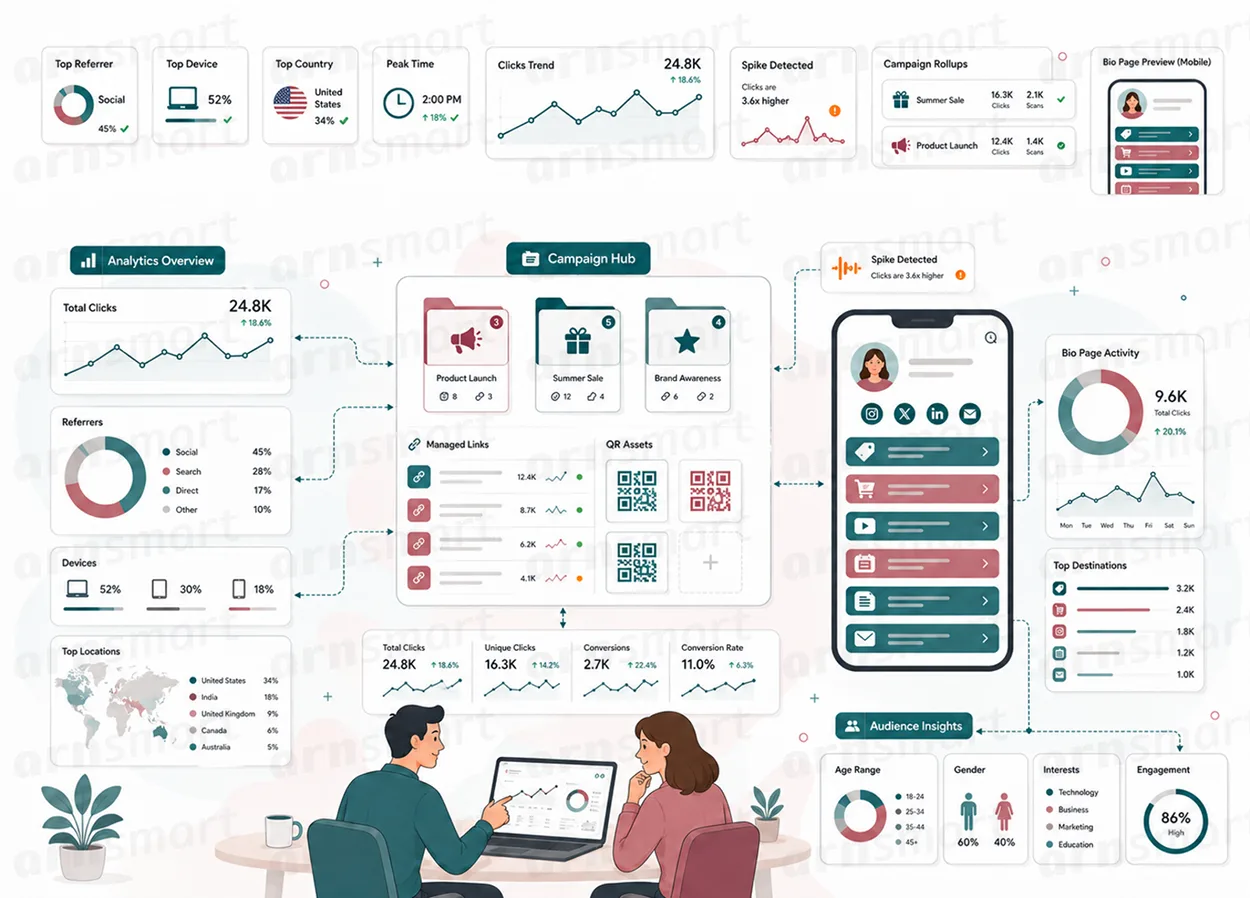
Linkix builds link-in-bio pages on your own WordPress site, so one profile link can lead to several destinations, with a QR code, view and click counts and a phone-style preview. Linkix Free includes one bio page; Linkix Pro adds unlimited bio pages, branded splash pages with a countdown, marketing pixels, Google Fonts and a live preview on device mockups.
Link-in-Bio Pages
Give a social profile one link that opens everything.
Most social profiles allow a single link. Linkix builds a link-in-bio page, a simple page on your own site such as example.com/bio/your-name/, that lists several destinations, so one profile link can lead to your store, latest article, newsletter and event.
Because the page lives on your WordPress site, it is not tied to an external bio-link service. Each button is a label and an address; use a Linkix short link as the address when you want to change the destination later without editing the page.
Identity. A title, a description, intro text and an image or logo from the media library.
Buttons and social links. Add one item per line, as Label | URL for buttons and Platform | URL for social links.
Visual settings. Primary, button and text colors, a solid or gradient background, a font family, an entrance effect such as Fade or Glow, font sizes, logo width and optional custom background CSS.
Safe clicks. A click on the page goes only to one of the buttons or social links saved on it.
Linkix Free includes one bio page. Linkix Pro creates as many bio pages as you need and keeps them in a library.

Splash Pages Pro
Show a branded message before the visitor reaches the destination.
Linkix Pro adds splash pages, a second page type next to bio pages. A splash page is a short branded page that shows your message, waits for a countdown and then sends the visitor to its redirect URL. It can carry a campaign message, an introduction or a notice.
| Splash setting | What it does |
|---|---|
| Splash redirect URL | The destination the visitor reaches after the page |
| Countdown | Seconds before the redirect, from 0 to 30 |
| Primary CTA label | The button that continues at once, such as "Go to website" |
| Skip text | The link that skips the wait |
Splash pages help when the destination is a partner site, a download or a page that needs context. Point a short link or a QR code to the splash page's address to give a printed code a branded first impression.
A splash page adds a step for the visitor, so use it where the message adds value; links that do not point to a splash page redirect directly. Splash pages require Linkix Pro.

Connected Pages
Tie pages to their QR codes, counts and marketing tags.
Every bio page gets its own QR code and its own counters, so the page is part of the same measurement as your short links.
QR codes. Each page has a QR code that opens it, ready to download as PNG, and in Pro also as SVG.
Views and clicks. Linkix counts page views and button clicks for each page and shows them in the page library and in Analytics. With Linkix Pro 2.0.1 and Free 1.1.1, the counts are kept in their own table and updated in one database statement, so simultaneous visits are not lost; counts from earlier versions are carried over when the plugin is updated.
Pixels (Pro). Add a Facebook Pixel, Google Tag, LinkedIn Insight or X Pixel ID to a bio or splash page when a marketing platform you use needs it. The tag is loaded by that platform and is separate from Linkix's own local counting.
Pixels are optional; adding one means that platform receives visitor data according to its own terms. Linkix's own click counting remains local. QR codes and counters are part of Linkix Free and Pro; pixels require Pro.
Page Preview
Check the page before anyone else sees it.
Both editions show the bio page in a phone-style preview next to the editor and open a public preview in a new tab. Check the order of links, the text and the branding, and fix anything that is wrong before you share the address.
| Edition | Preview |
|---|---|
| Free | Phone-style preview of the saved page and a public preview link |
| Pro | Live preview that updates while you edit, for bio and splash pages, on phone mockups such as iPhone 16 Pro Max, Galaxy S24 Ultra and iPad Air |
Preview matters most when a page is tied to a printed QR code or a scheduled campaign. Review the page on a phone as well as on a desktop, because most bio-page and QR visitors arrive on a phone.
| Check before sharing | Why it matters |
|---|---|
| Link order and labels | Visitors act on the first items they see |
| Destinations behind each item | A wrong destination wastes the visit |
| Branding and message | The page may be the first thing a QR visitor sees |
A Practical Page Workflow
- Create short links for the destinations the page should offer.
- Build a link-in-bio page and add those short links as buttons in order of priority.
- In Pro, create a splash page for links that need an introduction.
- In Pro, add a pixel if a marketing platform needs it.
- Check the preview on a phone, then download the page's QR code.
- Update destinations in Linkix as priorities change; the page follows.
Questions About Bio & Splash Pages
Do I need a separate bio-link service?
No. Linkix builds the link-in-bio page on your own WordPress site. Linkix Free includes one bio page; Linkix Pro allows as many as you need.
Does a splash page apply to every link?
No. A splash page is its own page with its own address. Only links that point to that address show it; other links continue to redirect directly.
Does adding a pixel send data to a third party?
Yes. A pixel belongs to the marketing platform you configure, and that platform receives visitor data under its own terms. Linkix's own click counting stays local to your site.
Can I see the page before it is live?
Yes. Both editions show a phone-style preview and a public preview link. Linkix Pro updates the preview while you edit and shows it on several device mockups.
Continue Your Linkix Workflow
Reviewed against Linkix Pro 2.0.1 and Free 1.1.1 · Last updated 29 October 2026