

REUSABLE QR CODES FOR PRINT AND SCREENS
QR Codes
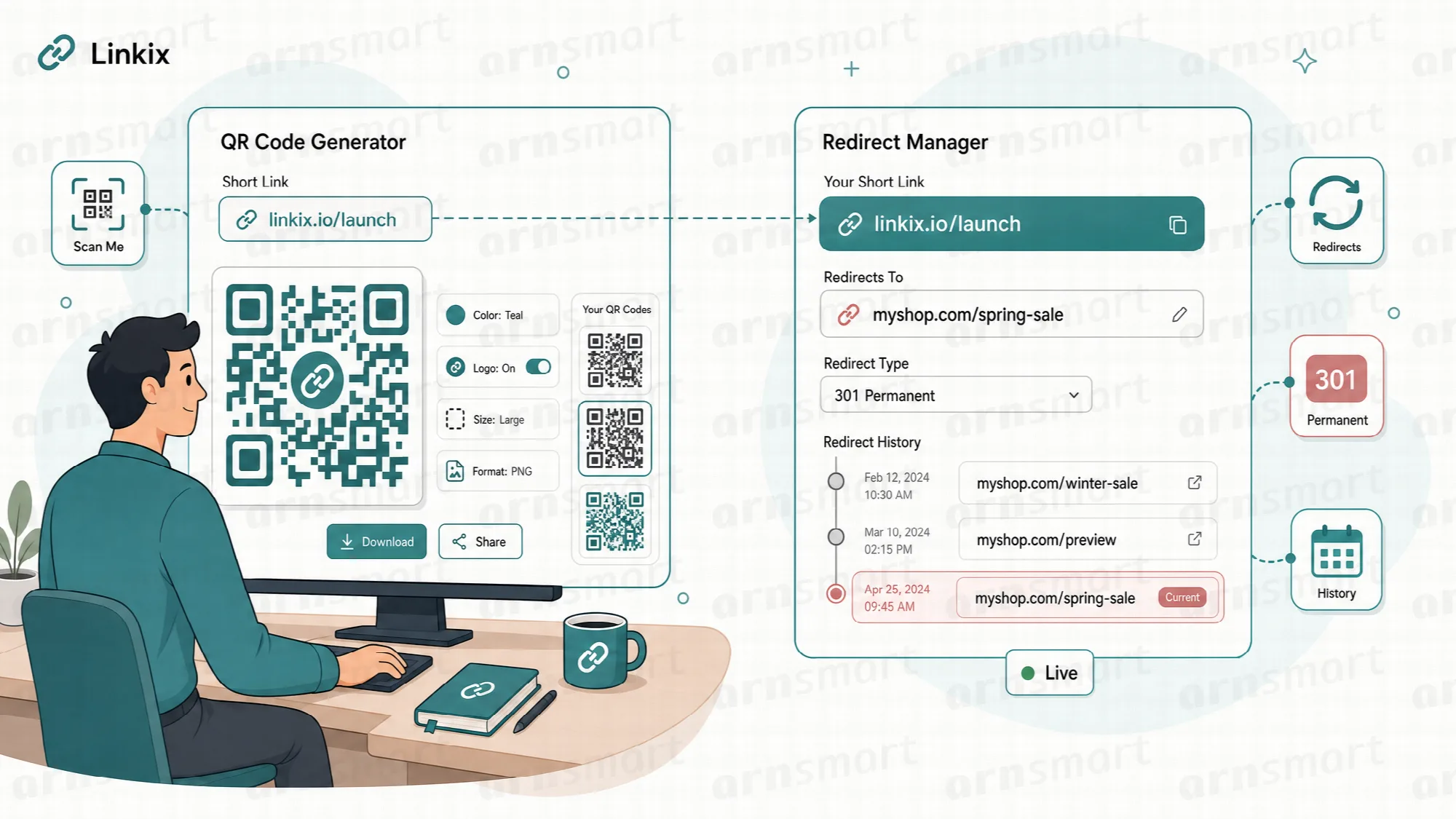
Linkix generates PNG QR codes for short links and standalone content inside WordPress, without an outside service, and because a short link's code points to the short link, the destination can change without reprinting. Linkix Pro adds SVG export, nine card templates with a visual template editor, Google Fonts and print-ready sheets and cards.
PNG QR Codes
Turn any short link into a code you can place anywhere.
Linkix generates a PNG QR code for every short link and can create it automatically when the short link is saved. Download the image for packaging, flyers, menus, posters or slides, or see it in the Linkix URL Panel while you edit a post.
The QR code encodes the short link, not the final destination. When you change the destination later, every printed code keeps working because the short link stays the same.
Bulk actions. On the Short Links screen, select short links, or all visible ones, to generate or regenerate their codes or download their PNG files as one ZIP archive.
QR maintenance. Find short links whose QR file is missing, create the missing files, remove QR files no short link uses and rebuild every code.
Standalone codes in QR Studio. Create a QR code for any URL or plain text without creating a short link, give it a label and a "Scan me" text, and keep it in a saved library to download or delete later.
Codes for pages and apps. Bio pages and, in Pro, Smart App Links get their own QR code as well.
Generated on your server. Codes are drawn locally in PHP; no outside QR service is called.
PNG QR codes, bulk actions, maintenance tools and QR Studio are available in Linkix Free and Pro. Free's QR Studio produces a 512-pixel PNG. QR generation needs the PHP GD extension, and ZIP downloads need the PHP ZipArchive extension on the server.

SVG Export Pro
Keep the code sharp at any size.
Linkix Pro exports QR codes as SVG. SVG is a vector format, which means the code is described as shapes rather than pixels and can be scaled to any size without becoming blurred.
Use SVG when the code will be printed large, placed on signage or handed to a designer who works in vector tools. PNG remains the simpler choice for screens and small print.
| Format | Edition | Where |
|---|---|---|
| PNG | Free and Pro | Short links, bulk ZIP, QR Studio, bio pages |
| SVG | Pro | Short links, bulk ZIP of SVG files, editor panel, print page, QR Studio, bio pages, Smart App Links |
Pro sets SVG or PNG as the default QR format and a default size in Settings → QR & branding. SVG export requires Linkix Pro.

QR Templates Pro
Choose a card design once and use it for every code.
Linkix Pro includes nine built-in QR card templates: Brand card, Clean card, Poster card and Templates 01 to 06. Set one as the default, and new cards and print pages use it without manual adjustment.
- Pick a template in QR Studio → Template Editor and make it the default.
- Edit the template with a live preview, then save it.
- Export and import template layouts and styles with the other Linkix settings.
Templates save time when many links need codes in the same style. They require Linkix Pro.
Colors, Typography and Branding
Make the code look like part of your material, not an afterthought.
Both editions let you choose the QR foreground and background colors or a transparent background: Linkix Free in Settings → QR & branding, Linkix Pro in QR Studio → Template Editor, which adds full card design.
Colors. Pro sets accent colors as a solid color or gradient, the QR foreground and background, and the color and background of the scan text.
Typography. Pro chooses a Google Font with its language subset and sets size, weight and alignment for the brand name, subtitle, title, URL, scan text and footer.
Branding and layout. Pro adds your brand name, subtitle and footer text and lets you drag the QR code, scan block, URL strip and text into place on the live preview.
Test every styled code with more than one phone camera before printing a large run. Strong contrast between the code and its background keeps it readable. Typography, card branding and layout require Linkix Pro.
Print-Ready Card Layouts Pro
Produce a finished card instead of a bare code.
Linkix Pro places QR codes in prepared layouts, ready to send to a printer or to use on screen. This removes the step of pasting a bare code into a separate design file for simple cards.
QR print sheet. Print the codes of the short links you selected, with each code listed with its link.
Print view and card export. From the editor panel, print a short link's code or export a branded QR card as an HTML file that uses the template's fonts, sizes, colors and QR position.
PNG card. In QR Studio, download a saved standalone code as a PNG card.
Card layouts suit table cards, counter displays, event handouts and product inserts. Print-ready layouts require Linkix Pro, and the print views can be switched off in Settings. Check the final size and margins against your printer's requirements before ordering.
A Practical QR Code Workflow
- Create the short link and set its destination.
- Generate the PNG QR code and test it with a phone.
- Set the code's colors, and in Pro choose and edit a card template.
- Export SVG for large-format print, or print a QR sheet or card.
- Distribute the material and watch clicks arrive through the link.
- When the campaign changes, edit the destination; the printed code stays valid.
Questions About QR Codes
Do I need to reprint the QR code when the destination changes?
No. The code points to the short link, and the destination behind the short link is editable. Change the destination and existing codes continue to work. A standalone QR Studio code encodes its content directly, so changing it needs a new code.
Which format should I choose, PNG or SVG?
Use PNG for screens and everyday print; it is available in both editions. Use SVG, available in Pro, when the code must scale for large-format print or vector design work.
Can I match the QR code to my brand?
Yes. Both editions set the code's colors. Linkix Pro adds card templates, Google Fonts, brand text and a drag-and-drop layout.
Are scans counted separately from clicks?
A scan opens the short link, so it is counted as a click on that link. Create a dedicated short link for each printed item if you want to measure it on its own.
Continue Your Linkix Workflow
Reviewed against Linkix Pro 2.0.1 and Free 1.1.1 · Last updated 29 October 2026