
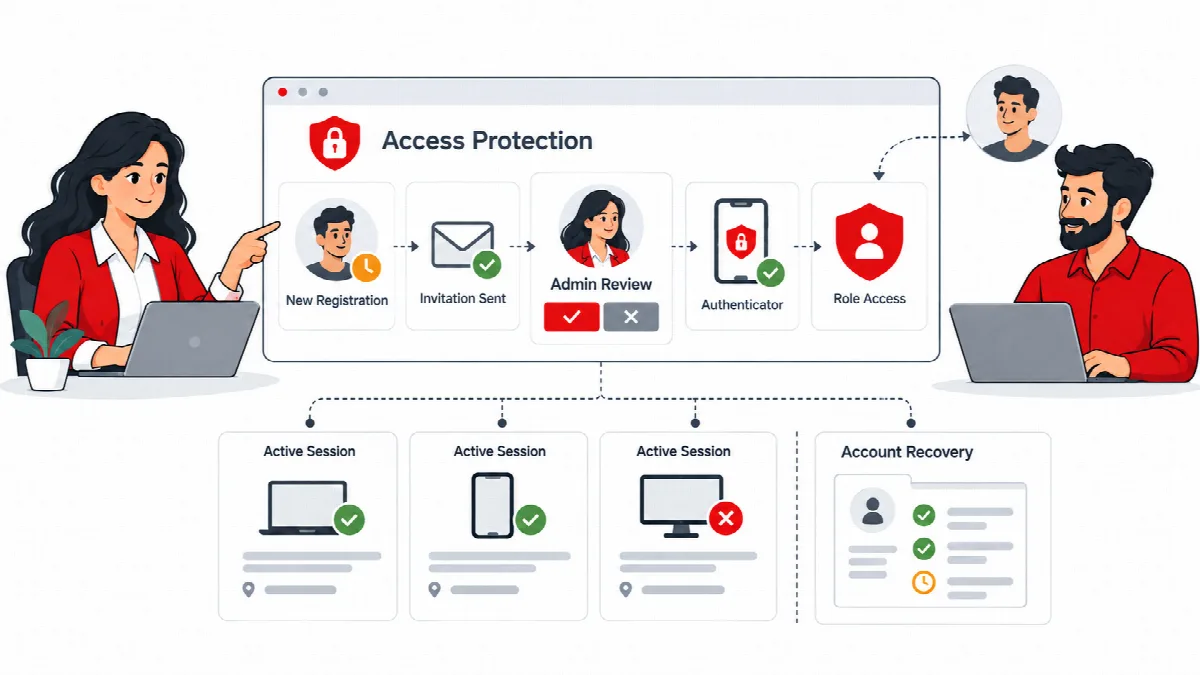
Account & Access Security
Set login limits, choose sign-in verification methods and review sessions or pending accounts.
Explore Access Security
WORDPRESS SECURITY & MONITORING
SiteWatch is a WordPress security and monitoring plugin that connects account protection, plugin review and approval, native encrypted forms, file integrity review and operational monitoring for website owners, agencies and network administrators.
People sign in, accounts gain roles, packages change and services make requests in the background. SiteWatch gives those activities distinct review paths instead of treating every event as the same kind of security finding.
Configure the relevant policies, verify the required authority and review recorded evidence. A report can summarize what needs attention while retaining the file, package, account or service context needed for the next decision.

Set login limits, choose sign-in verification methods and review sessions or pending accounts.
Explore Access Security
Use designated approval authority, verified sessions and reviewed package/source evidence for supported software changes.
Explore Plugin Security
Review published vulnerabilities, request signals, file integrity and guarded response workflows.
Explore Site Protection
Protect native-form message content through browser encryption and a separate reader. Review supported submission and mail controls.
Explore Forms & Email
Inspect selected public-page assets, recorded events, outbound activity, file changes and captured errors.
Explore Monitoring
Start with the summary, then inspect retained findings and technical detail. Configure relevant reports and notifications.
Explore Reports
Review profiles, authority, network administration, licensing and optional aggregate AI guidance.
Explore SetupReview the website's existing policies and recovery access.
Configure the protections and designated authority you need.
Observe legitimate workflows before enabling restrictions.
Inspect the evidence behind a finding or uncertain package.
Choose a reviewed action and retain its recorded outcome.
Website owners:
Bring account, package and operational review into routine maintenance.
Agencies:
Explain changes with retained findings and a readable report.
Business teams:
Keep supported native-form content encrypted in WordPress storage while coordinating access and notifications.
Network administrators:
Retain site-specific policies with network authority over shared-file operations.
SiteWatch is delivered as one product. Account protection, plugin review and approval, site and file protection, native encrypted forms, monitoring, reports and network administration are part of the same installation-bound ARN license with guarded updates.
SiteWatch: $59 USD for one website for one year.
For agency licensing, contact ARN Smart.
SiteWatch brings these workflows together in one product, with installation-bound ARN licensing and guarded updates.
Start with the setup guidance, a current hosting backup and the site's real authentication/integration paths. Keep recovery access available when adopting restrictions.
SiteWatch requires WordPress 6.2 or later and PHP 7.4 or later. It has been checked on PHP 8.5 and on WordPress sites that use SQLite, such as WordPress Playground and WordPress Studio.
Protection and monitoring are useful when their scope is understood. Configure SiteWatch for the workflows you maintain, then review the observations and decisions it records.
Reviewed against SiteWatch 2.0.1 · Last updated 29 October 2026