

PROTECT NATIVE-FORM CONTENT AND REVIEW SUPPORTED SENDING ACTIVITY
Forms & Email Security
SiteWatch Forms & Email Security encrypts the native secure form's fields in the visitor's browser, keeps decryption in a separate recipient reader with the private key held outside WordPress, and adds spam controls, mail budgets and SMTP diagnostics as distinct layers.
Encrypted Form
Encrypt supported fields before they reach WordPress.
Place the native secure form on a supported HTTPS page. Name, email, message and an optional attachment are encrypted in the visitor's browser into the submission envelope.
WordPress stores that envelope instead of the plaintext fields. Fresh key material and the configured recipient public key are part of the supported workflow.
The optional attachment limit is 3 MB. Required browser cryptography and the key/ticket services must be available; the native form does not silently fall back to plaintext submission.

Encrypted Reader
Keep decryption under the recipient's control.
Authorized accounts can access/export the encrypted inbox material. Recipients open the exported envelope in the separate trusted reader using the private key retained outside WordPress.
New-message notices can identify the submission without including the sensitive body. Reader presentation treats message text as text and provides controlled attachment download rather than executing embedded content.
Encryption of stored native-form content does not protect a visitor against malicious replacement of the page serving that form. Site and recipient-device security remain relevant.
Key Management
Preserve the material needed to open existing messages.
Configure the public recipient key on the site and keep a protected private-key backup through the reader. Review the backup before relying on the workflow for real submissions.
Public-key rotation affects future messages. Keep the appropriate earlier recipient material for envelopes encrypted to the old key.
Do not place the private recipient key in the WordPress form configuration. Test export and reader access with a known submission after a key change.

Spam Controls
Control submission behaviour without reading plaintext message content.
Use the native form's source budgets, honeypot, minimum completion time and signed one-use tickets. Configured Turnstile adds its documented provider validation on supported paths.
The optional Contact Form 7 adapter applies a focused submission-rate limit. It does not turn CF7 messages into SiteWatch encrypted native-form envelopes.
Review the normal visitor route alongside rejected timing/ticket/challenge cases so policy changes do not make legitimate submissions unusable.
Email Policies
Review supported mail activity and sending budgets.
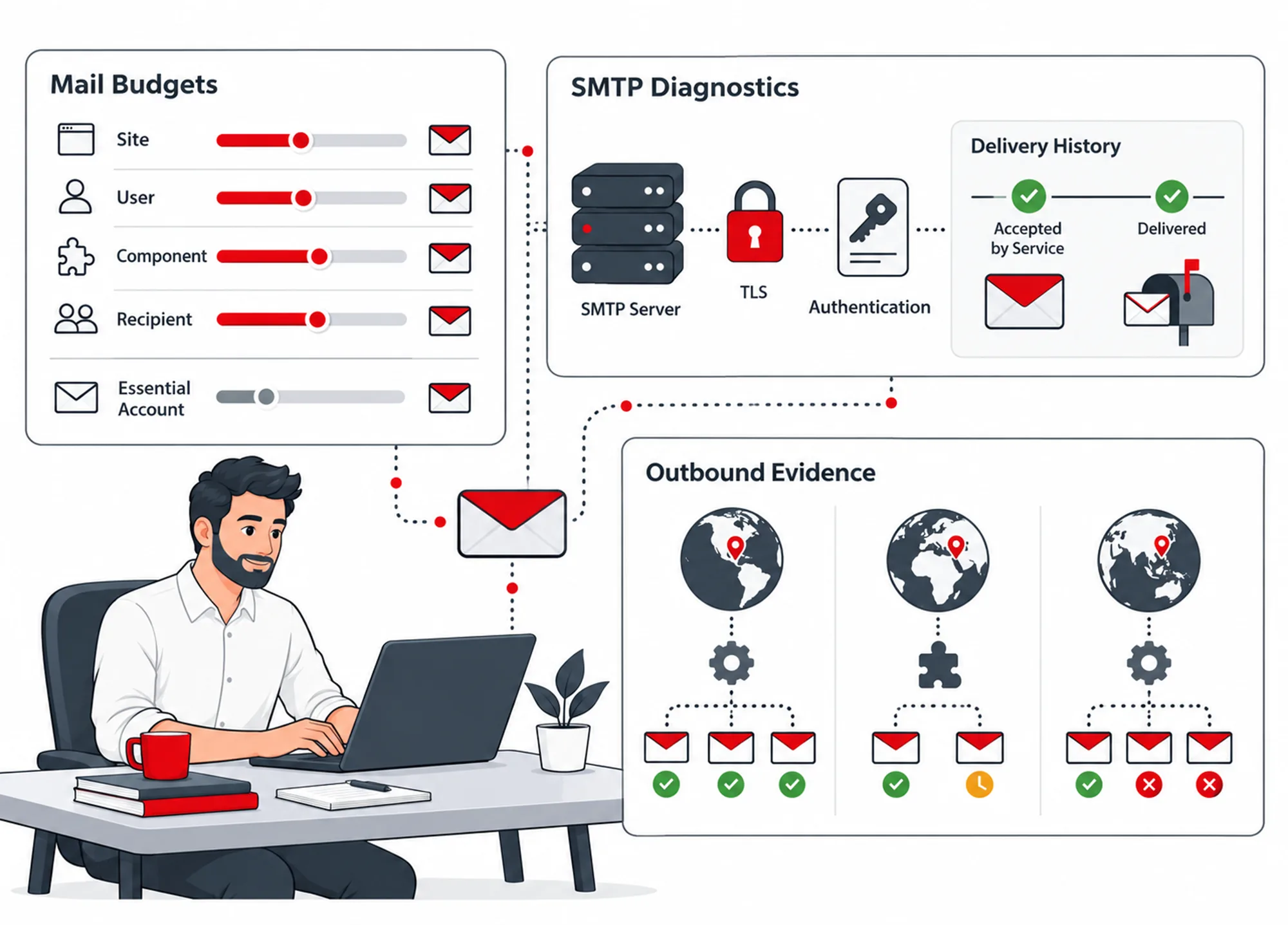
Observe configured WordPress mail activity and apply supported site, initiating-account/component and recipient budgets. Recognized essential account/commerce messages have their documented treatment.
Policies work with the recorded initiating context available to the hooks. Do not infer a sender's intent from volume alone.
Report mail uses its own configured transport rather than silently replacing the whole website's global mailer.
SMTP Diagnostics
Confirm the transport and the eventual receipt separately.
Test supported connection, certificate and authentication conditions. Optional TLS policy and protected stored report credentials help configure the relevant sending route.
Mail Diagnostics also checks whether SPF and DMARC records are present for the sender domain, without sending a message. It does not validate those policies or test DKIM.
Inspect queued sends, recorded failures, accepted transport outcomes and bounded retry behaviour. A successful service response is not the same as the recipient seeing the message.
Review the intended mailbox and spam handling, especially when configuring encrypted-inbox notices or scheduled reports.
A Practical Submission Setup
Prepare a recipient key and protected backup, configure the HTTPS native form, send a known test, export the envelope and open it in the separate reader. Review abuse controls and mail receipt as separate checks.
Questions About Forms & Email
Are Contact Form 7 submissions encrypted by the adapter?
No. The documented adapter adds focused rate control. Encryption belongs to the native SiteWatch secure form.
Can a public key open my encrypted messages?
No. The recipient reader needs the corresponding private key held outside WordPress.
What happens if the browser cannot run the required cryptography?
The native form does not silently fall back to plaintext submission. Browser cryptography and the key/ticket services must be available for the supported workflow to complete.
Does rotating the recipient public key affect earlier messages?
Rotation affects future messages only. Keep the appropriate earlier recipient material for envelopes encrypted to the old key.
Continue the Review
Reviewed against SiteWatch 2.0.0 · Last updated 28 October 2026