

READ STORE EVIDENCE WITHOUT LOSING ITS SOURCE CONTEXT
Commerce Analytics
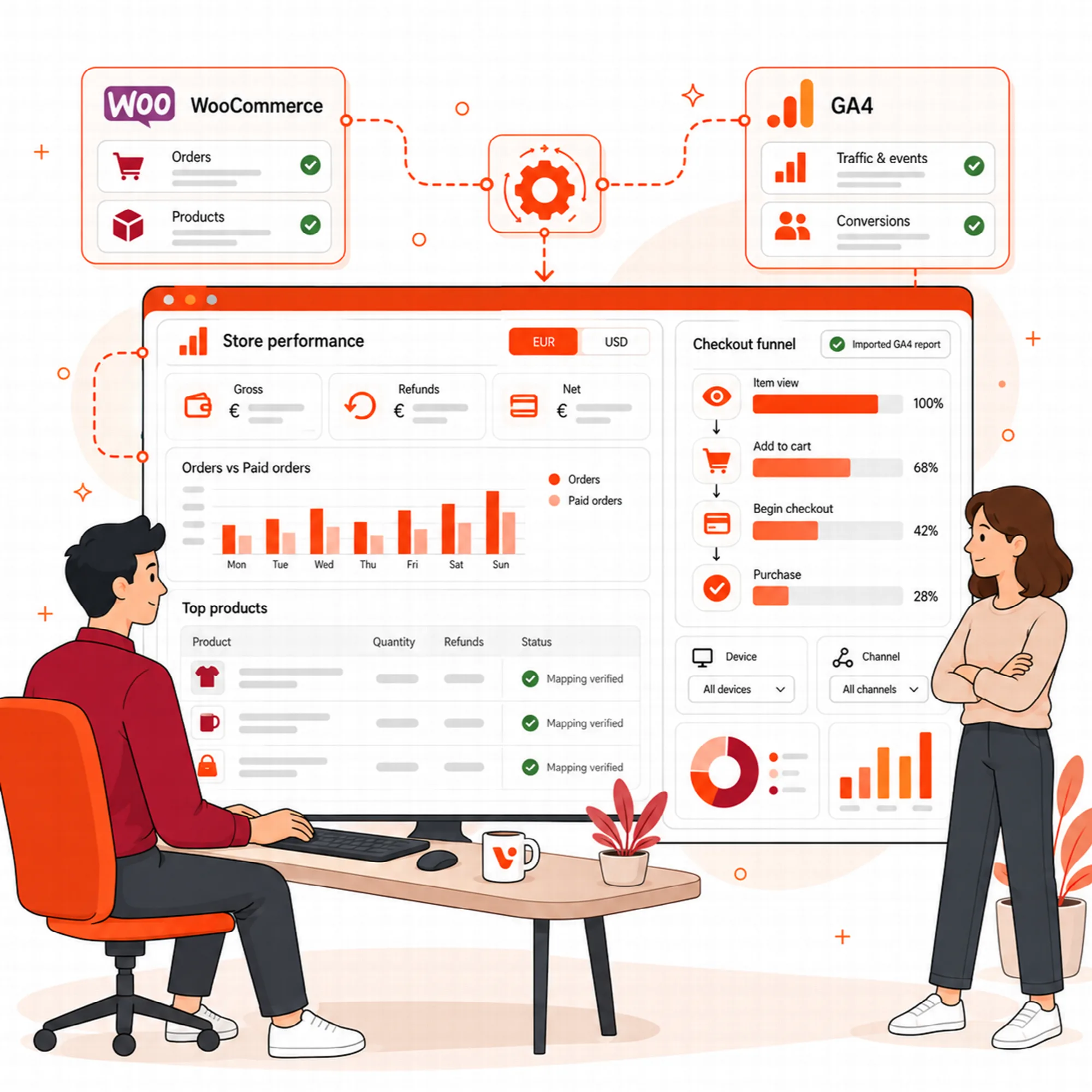
Commerce Analytics is the Visioix view where a WooCommerce store team inspects order and product cohorts, separate GA4 product aggregates, explicit product mappings and validated sequential-funnel imports. Period, currency, order status and source stay beside each total so WooCommerce records and GA4 events are never silently combined.
WooCommerce Cohorts
Keep the order context with the comparison.
Inspect available order/product cohorts with the relevant period, statuses, currencies and refund context. A refunded order and a completed paid order are not interchangeable records.
Choose a comparison that matches the business question, then inspect the included data before interpreting a total.
This view depends on WooCommerce and eligible store evidence. An empty period is not a completed analysis of the store's whole history.
GA4 Products
Treat analytics events as their own evidence stream.
Review the configured GA4 product/item aggregates and available event context separately from the WooCommerce records.
Analytics collection and order-system records can use different timing, identities and measurement rules. Keep those differences visible rather than silently adding the totals.
Use a discrepancy to investigate mapping or collection conditions, not to assume one source is automatically wrong.
Product Mapping
Verify which records represent the same item.
Supported mapping review connects the appropriate product identifiers across sources. Confirm the proposed relationship before using it to interpret a comparison.
Unmapped or uncertain records remain distinct. A similar title or different currency is not enough reason to treat two aggregates as identical.
Keep the mapping choice inspectable so later changes to product identifiers do not silently change the meaning of an earlier result.
Commerce Funnels
Use a validated sequence rather than a collection of unrelated totals.
Import supported closed sequential-funnel exports and retain their device/acquisition-channel context. The validated sequence describes the supplied report's defined steps.
Read the funnel definition before interpreting drop-off. A product-view total and a separate checkout total do not by themselves establish a sequential visitor path.
Review the import's dates and scope alongside the website's relevant commerce evidence.
Commerce Sources
Keep the boundaries clear when reporting the result.
Identify the period, source, currency and available sample behind a statement. Show missing inputs rather than inferring a value from a different source.
Commerce evidence does not turn internal-link clicks into sales attribution. AI explanations can help review a result, but they should remain tied to the eligible records and explicit mappings.
Use the view to choose a focused next investigation for the store.
A Practical Commerce Review
Confirm data availability, select comparable periods and statuses, inspect source-specific totals and verify mappings. Review a funnel only after its sequence and import context are understood.
Questions About Commerce Analytics
What do the commerce views require?
Commerce Analytics is part of Visioix Pro. The WooCommerce cohort view depends on WooCommerce and eligible store evidence, GA4 product aggregates come from the configured GA4 collection, and funnels are imported from supported closed sequential-funnel exports.
Can WooCommerce and GA4 totals be added together?
Not as interchangeable measures. Review definitions and verified mappings; the described workflows preserve their separate source context.
How are products matched across WooCommerce and GA4?
Supported mapping review connects product identifiers across sources, and the proposed relationship is confirmed before it is used to interpret a comparison. Unmapped or uncertain records remain distinct.
Can link observations prove that a suggested link created a sale?
No. Link exposure/click measurements do not establish sales attribution.
Continue the Review
Reviewed against Visioix Pro 2.0.0 and Free 2.1.0 · Last updated 29 October 2026