

ASK A RELEVANT QUESTION AT THE RIGHT POINT IN THE VISIT
Visitor Intent & Forms
Visitor Intent & Forms covers the Visioix sticky bar, intent panel, Call, Email and WhatsApp contact actions and independent forms that a WordPress site shows to visitors. Site owners configure display rules and triggers, conditional paths, design and consent controls for each interaction.
Intent Interface
Start with a question the visitor can answer.
Use the sticky bar and expandable intent panel to present editable choices. Configure labels, descriptions and optional message/contact fields for the purpose of the page.
The interaction can submit without a full page reload, helping the visitor remain in the current context. Make the choices specific enough to distinguish useful intentions without demanding an unnecessary explanation.
Optional fields can stay off when they are not needed, including when the configured AI Insights feature is enabled.

Contact Actions
Connect the answer with a useful next step.
Provide supported Call, Email and WhatsApp actions; in Pro, a configured redirect can also follow the answer. The separate contact widget can also present those routes outside the intent panel, on desktop, mobile or both, on the left or right side.
Set the destination only for the channels you enable. A call option needs the intended telephone route; a redirect needs the page it should open.
Review the visitor-facing wording and destination together. A click records an interaction, not proof that a call, conversation or sale was completed.
Display Rules
Show the interaction in the right context.
Choose homepage or sitewide output, supported page/post-type inclusion and exclusion, device visibility and relevant account/visitor conditions.
Triggers can use configured delay, scroll depth, exit intent, time-on-site and page-view behaviour, with supported shortcode or JavaScript activation.
Review combinations on the pages they affect. A prompt intended for a first-time mobile visitor should not be assumed to behave identically for a returning logged-in visitor.
Keep frequency and dismissal handling aligned with the visitor experience.

Form Builder
Maintain independent forms for different information needs.
Create named forms with their own configured questions and fields. Organize the flow for a product, service, department or research topic instead of forcing every response through one shared schema.
Versioned form storage keeps the response values connected to the form definition they used. Review that relationship when changing an active form.
Pro Form screens. Forms lists every form. Each form opens in Visual Builder for steps with an optional progress bar, sections of up to five columns, fields and content blocks, Design Studio for its own visual identity with a live preview, and Display Rules for where the form appears and which form wins when several match the same page.
Recorded intent. The intent of a response always comes from the options the form offers: the Intent question, otherwise the first answered radio or dropdown question. A form without such an answer records "Form response" instead of copying a free-text answer such as a name or email address.
Preview the available desktop/mobile presentation, test an actual submission and confirm where the stored response appears before extending the form to a wider audience.

Logic & Design
Let the flow follow the answer.
Use the supported conditional paths to reveal the relevant fields or actions. In Pro, Conditional Logic rules in Visual Builder match all or any of their conditions and run THEN or ELSE actions to show, hide or require fields and sections, change the message or redirect after an answer. Keep the branches understandable so the visitor knows what is being asked and why.
Design controls and custom CSS can adapt the form to the surrounding page, including a bottom panel or centered modal on desktop and a bottom sheet or full screen on mobile. Reusable Design saves named design profiles that can be applied again in the builder, scoped custom CSS stays with the form, and visitor pages load only the Google font that the form design uses. Treat readability, field labels and error messages as part of the design rather than only choosing colors.
Test both sides of a condition, required and optional values and the final success route. A visible preview does not replace a complete submission check.

Consent Controls
Make field collection and visitor choices explicit.
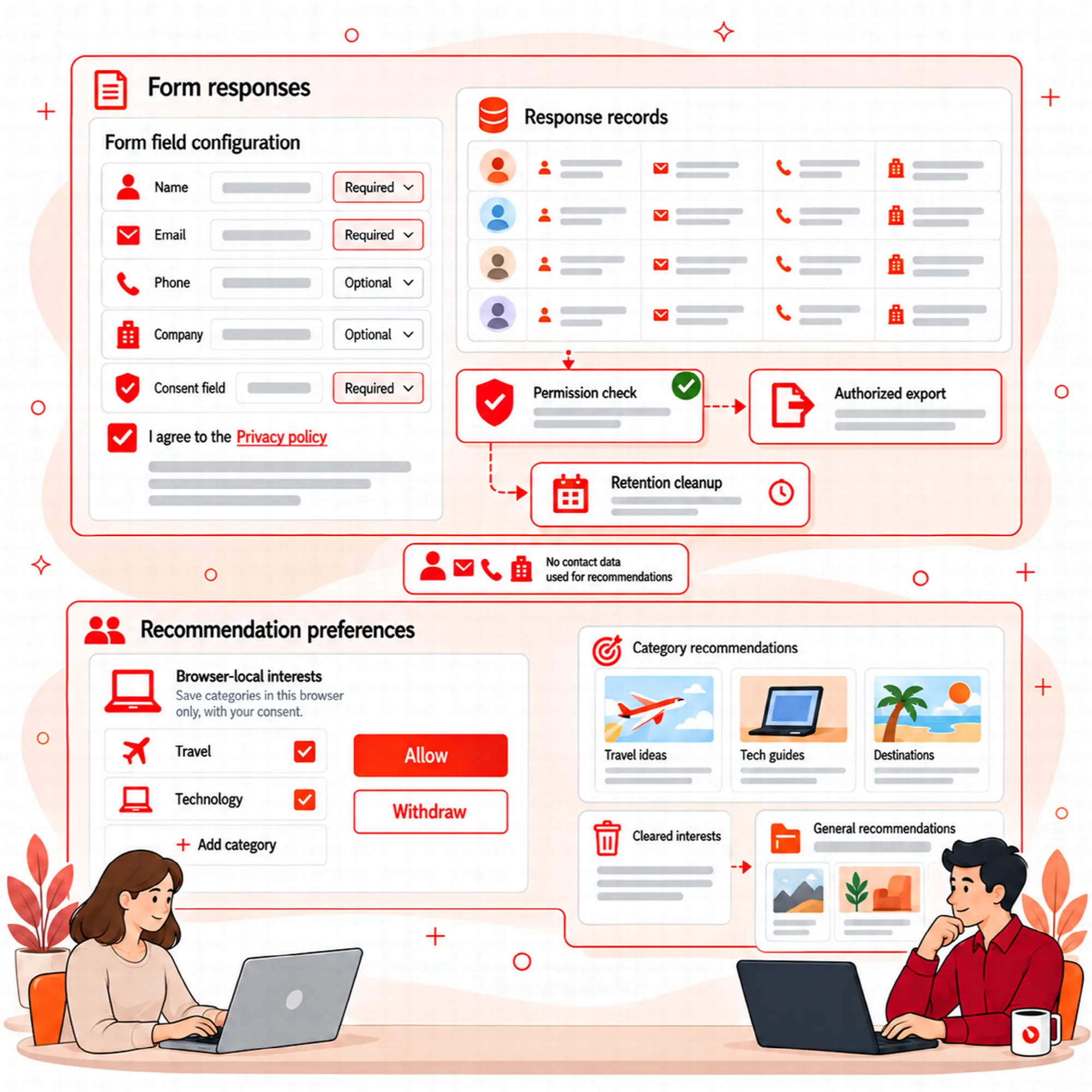
Use the editable consent checkbox, policy destination and supported required-consent setting where appropriate. Choose how the policy opens and keep its text understandable.
The configured consent status is one part of the workflow. It does not turn all collected contact details into anonymous data or replace the site's own privacy decisions.
Supported honeypot, nonce and submission checks help control abuse. Review normal completion and rejection messages without making the form harder to use than its purpose requires.
Submission checks. Each submission uses a single-use ticket with size limits and per-network and per-session quotas. A response is refused when a radio, dropdown or checkbox answer is not one of the options the form offers. Both editions apply these checks.
Limits & Proxy. Settings > Limits & Proxy sets how many responses one visitor network can send to one form every 10 minutes (default 20); all forms together accept three times this number. Visitor activity events are limited to 300 requests per network every 10 minutes, and further events are ignored without an error. Sites behind a proxy or CDN can read the visitor address from X-Forwarded-For, X-Real-IP, CF-Connecting-IP or True-Client-IP, but only for requests from the trusted proxy addresses or ranges entered there; the default remains the direct connection.
A Practical Capture Setup
- Define the information the page needs.
- Configure choices, enabled fields and contact routes.
- Set display rules and triggers.
- Review consent and policy output.
- Submit a representative response and inspect its saved result.
Questions About Visitor Intent
Must visitors provide contact details?
Contact and message fields can be optional or disabled according to the configured workflow.
Can the intent panel appear only on certain pages or devices?
Yes. Display rules cover homepage or sitewide output, page/post-type inclusion and exclusion, device visibility and account/visitor conditions. Triggers add delay, scroll depth, exit intent, time-on-site and page-view behaviour.
What happens to stored responses when I change an active form?
Versioned form storage keeps each response value connected to the form definition it used. Review that relationship before changing a form that is already collecting responses.
Does a WhatsApp button also deliver Growth reports?
No. Contact actions and scheduled report delivery are separate workflows. Current Growth reports use email.
My site is behind Cloudflare or another proxy. Which visitor address is used?
By default the direct connection, which behind a proxy is the proxy's address, so all visitors share one response limit. In Settings > Limits & Proxy, choose "Behind a proxy or CDN", the header the proxy sets and its IP addresses or CIDR ranges; the header is read only for requests from those addresses.
Continue the Review
Reviewed against Visioix Pro 2.0.0 and Free 2.1.0 · Last updated 29 October 2026