

REAL COST ENGINE
Cost Engine
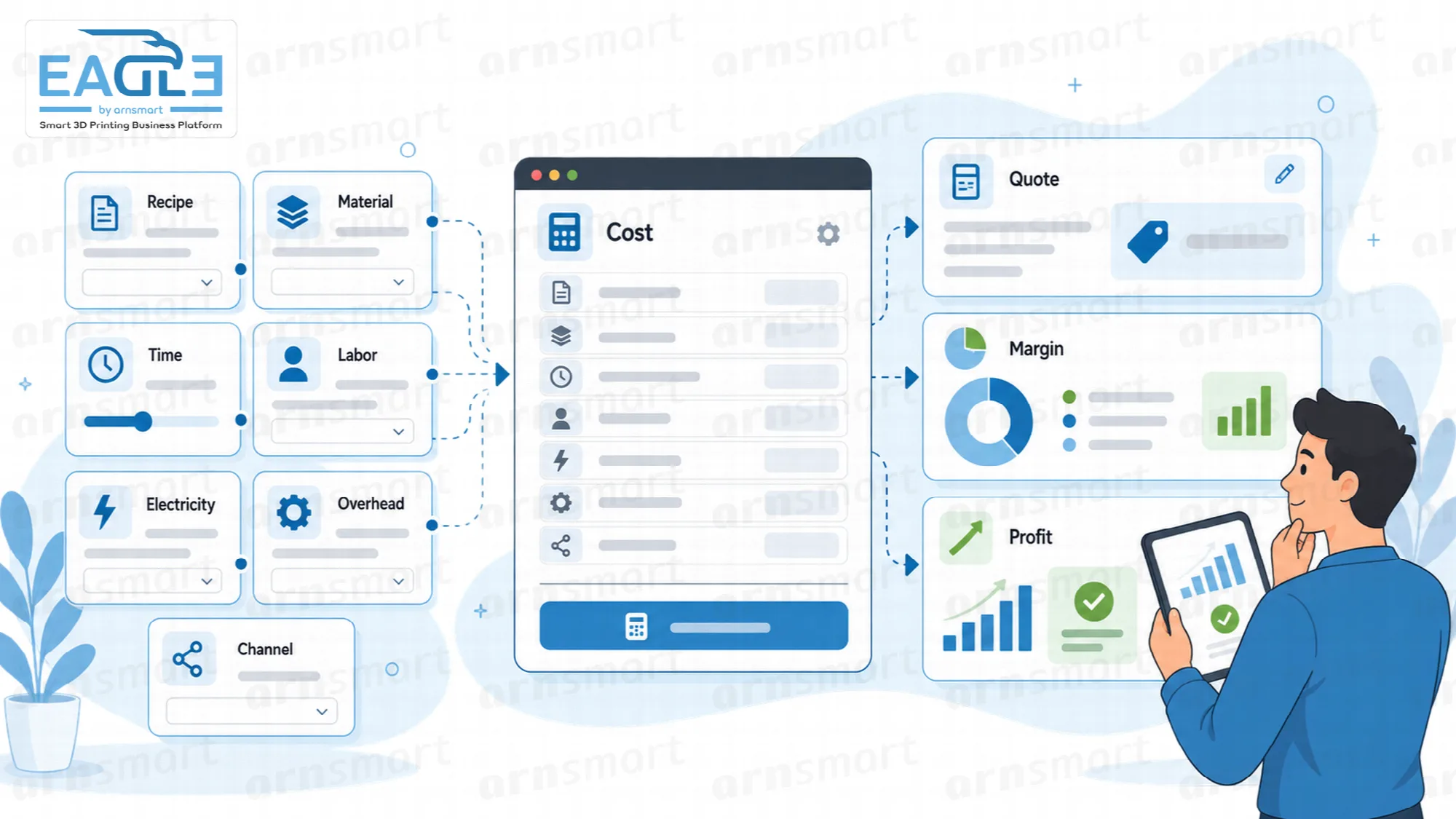
The Eagle3D cost engine builds each product's cost from its recipe: filament and waste, extra materials, printer electricity and depreciation, labor, overhead and sales-channel commission. That cost is saved on each order line when the order is saved, so orders, customers and reports show real profit.
Recipe-Based Costing
Price every product on what it really costs to make, not on the filament you can see.

Most print shops price from the weight of the part multiplied by the price of the spool. Waste, failed prints, electricity, machine wear, labor, rent and commission disappear into an overhead that nobody calculates. Eagle3D calculates each of these costs for every product from its recipe.
A product recipe names the filament and the printer, the part weight and waste in grams, the print time, the labor time in minutes and any additional materials. The engine turns that recipe into a cost breakdown you can open for any product.
Filament, weight and waste. Each recipe uses one filament; the part weight and the waste (supports, purge, brim) are entered in grams and priced at the filament's price per kilogram.
Additional materials. Magnets, paint, packaging and other non-filament items are added as recipe lines with their own quantity.
Failure rate. The printer's default failure rate raises material use to cover prints that fail; at 10 percent, material cost is divided by 0.9.
Repair allowance. A business-wide repair rate in Cost Settings adds a percentage of material cost for prints that are fixed rather than thrown away.
Cost breakdown per product. Filament, waste, energy, materials, labor, printer depreciation and repair allowance are shown as separate parts of the cost.
Filament prices used in recipes come from the default supplier price described on Filament Catalog and Suppliers.
Printer Electricity and Depreciation
Charge every print for the machine time it uses.
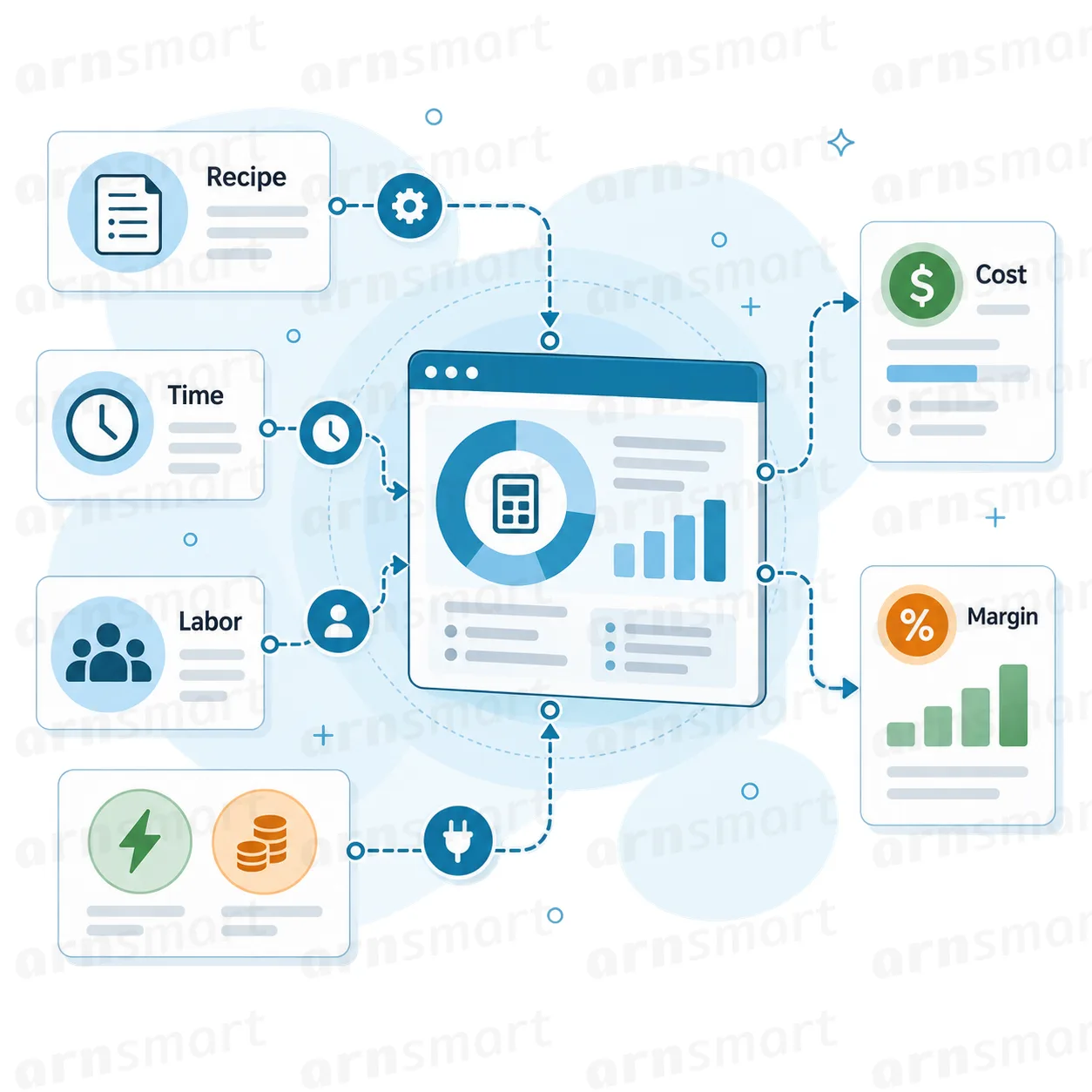
Electricity and depreciation are calculated per printer. The engine uses the wattage, purchase price, lifespan, daily usage hours and utilization recorded in each printer profile, so a print on a large, power-hungry machine costs more than the same print on a small one.
- Electricity cost from the printer's wattage, the print time and the electricity price per kWh in Cost Settings.
- Hourly depreciation calculated automatically from the purchase price, lifespan in years, daily usage hours and utilization.
- Monthly maintenance cost of a printer charged only to the products printed on that printer.
Printer profiles themselves are maintained on Printer Profiles. The engine reads those values; it does not replace them.
Labor and Overhead
Spread rent, software, staff and your own time across the prints that use machine capacity.
Labor is priced from the labor time in each recipe and one business-wide hourly labor rate in Cost Settings. Overhead comes from the monthly expenses you list in Settings → Overhead Expenses, each with a distribution type.
| Distribution | How the expense reaches a product |
|---|---|
| By machine hours | Pooled and divided by effective capacity (printer daily hours × utilization × working days per month), then charged per print hour |
| Per unit | Added to every unit as a fixed amount |
| Manual (per product) | "Enter overhead manually" in the product form replaces the automatic share for that product |
Staff costs in overhead. In the company profile, general staff salaries join the machine-hours pool; direct production staff are paid through the labor rate instead.
Suggested hourly labor rate. The Staff screen divides the monthly cost of direct production staff by their monthly hours and can apply the result to the labor rate. Cost Settings also has a small "Calculate hourly rate" helper for the same calculation.
Custom lines. Custom order lines carry the cost you enter and take no overhead share, because they use no machine time.
Business profiles and staff management are set up on Business Profiles.
Sales-Channel Commission
Compare the same product across channels after commissions and fees.
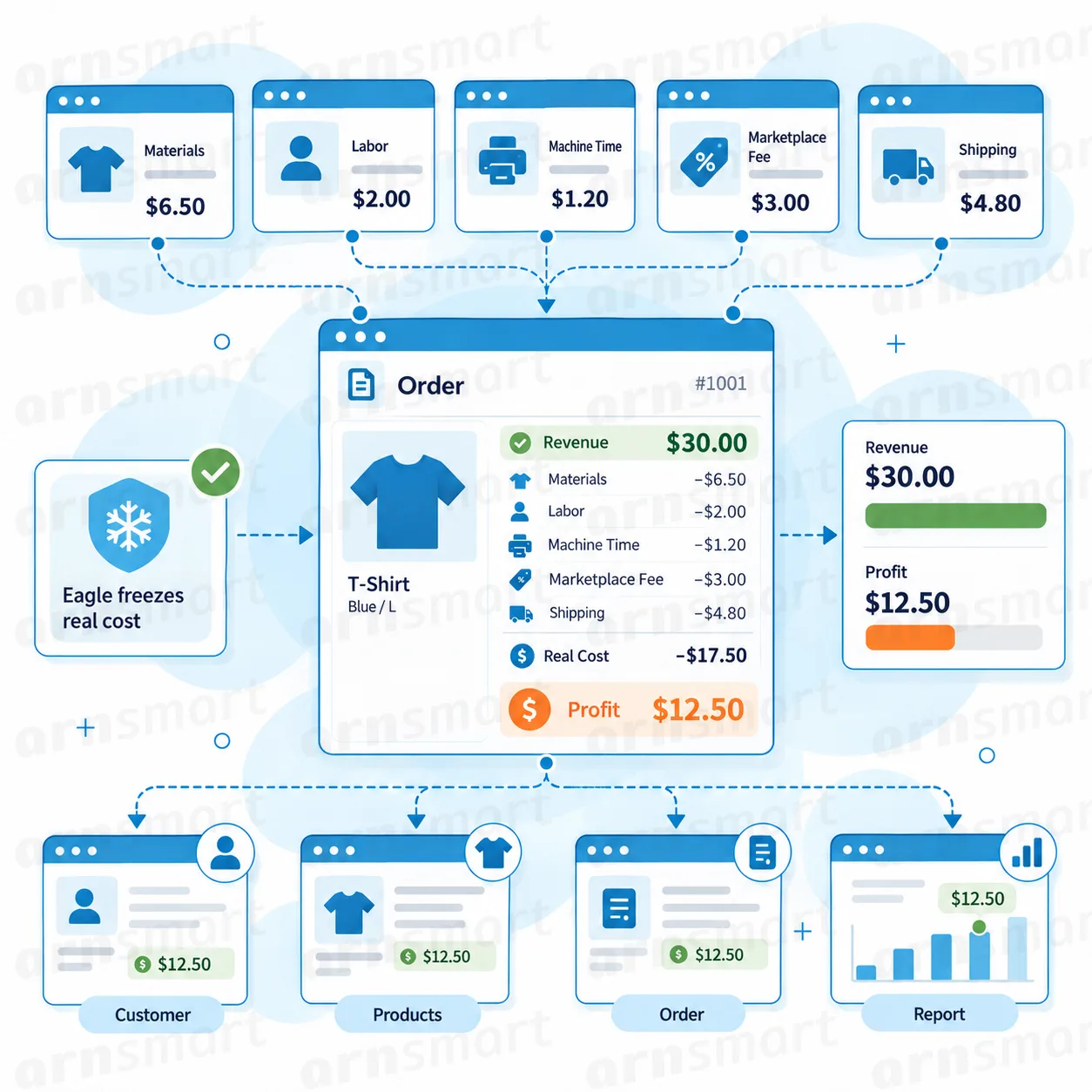
Each sales channel carries a commission percentage and a fixed fee. When an order is assigned to a channel, every line pays the commission on its total plus the fixed fee, so the same product shows a different profit on each channel.
| Channel example | Cost items added by the channel |
|---|---|
| Direct sale (no channel) | None |
| Marketplace | Percentage commission and fixed fee you define |
| Online order page or connected web store | The commission and fee of the channel you assign to it |
Channels, their commission percentages and fixed fees are defined on Sales Channels, Taxes and Categories.
Frozen Cost per Order Line
Record what the order really cost at the moment it was saved.
Cost and profit are saved on each order line when the order is saved: production, channel and overhead cost, revenue without tax, profit, margin and markup, together with the printer and print hours. Later changes to filament prices or rates do not change lines that are already saved.
Saved with the order. The cost of each line is built from the printers, materials and rates in use when the order is created, imported or converted from a quote.
Recalculated only on edit. Editing an order's lines saves them again with the current prices and rates.
Visible everywhere. The dashboard, order list and all five reports read the same saved figures.
Reports built on these saved costs are described on Reporting.
Margin, Markup and Below-Cost Products
See margin and markup on every product and order, and spot the items that lose money.
The product list shows each product's total cost, profit, markup and margin, with loss-making profit in red. Prices are treated as tax-inclusive: profit is calculated on the price without the active tax rate from Tax Settings.
- Total cost, profit, markup and margin for each product in the catalog.
- Profit and margin on each saved order line and order.
- Negative profit highlighted in red, so a below-cost price is visible in the list.
- Price decisions backed by the cost breakdown instead of by feel.
The product form shows a live cost preview while you edit; it includes a manual overhead amount but not the automatic overhead share, which the product list adds. Actual results depend on your printers, materials, rates and channels.
Quick Cost Calculator
Price a new or one-off job before it becomes a product.

The Production Calculator estimates the cost of a job without saving a product. Enter weight, waste, print time, labor time, filament, printer, additional materials and a planned sales price, and the calculator shows the cost breakdown and the profit.
One-off jobs. Answer a price request for a custom part without creating a catalog product first.
Same printer and material data. The calculator uses the printer profiles, filament prices, labor rate, electricity price and repair rate already configured.
The calculator shows direct production cost; overhead and channel commission are added when the job becomes a product or an order line. Accepted one-off prices can be carried into a quote on Quotes.
A Practical Costing Workflow
- Set the electricity price, labor rate, working days and repair rate in Cost Settings.
- Enter each printer with its wattage, price, lifespan, daily hours, utilization, maintenance cost and failure rate.
- Add filaments with supplier prices, materials and monthly overhead expenses.
- Build a product recipe with filament, weight, waste, print time, labor time and additional materials, then set the price.
- Save orders so each line keeps its cost, and watch the product list for red profit after price changes.
Questions About the Cost Engine
Does the cost change when filament prices rise later?
Saved order lines keep their cost. New products, new orders and edited orders use the updated prices, and the product list reflects the change.
Is overhead always allocated by machine time?
No. Each overhead expense is distributed by machine hours or per unit, and a product can use a manual overhead amount instead.
Are marketplace commissions part of the product cost?
Commission and fixed fees are added per sales channel on each order line, so the same product shows different profit on different channels.
Can a price be calculated for a part that is not in the catalog?
Yes. The Production Calculator prices new or one-off jobs from the same printer, filament and labor settings.
Continue Your Eagle3D Workflow
Reviewed against Eagle3D 2.0.0 · Last updated 29 October 2026