

Setup
FROM ONE SCRIPT TO EVERY MAILBOX ON THE SERVER
Mailix installs server-wide on cPanel and WHM with one script, appears on the cPanel Webmail screen and signs users in automatically, or runs standalone on one domain. It needs PHP 8.1 or newer and the server's IMAP and SMTP services, and a demo mode with sample data is available.
Installation Modes
Install once for the whole server, or for a single domain.
| Server-wide (WHM) | Standalone | |
|---|---|---|
| Where it runs | Every mail account on the cPanel and WHM server | One domain or subdomain, such as webmail.example.com |
| How users sign in | From the cPanel Webmail screen, signed in automatically | With the full email address and password |
| Where user data lives | In each cPanel account's own folder | In the storage folder set in the configuration |
| Only in this mode | Weekly automatic replies and AI automatic replies | QR sign-in, offline start screen, app shortcuts, optional server-wide AI key |
Server-wide. Run bash cpanel/install.sh as root. The script copies Mailix into cPanel, creates the configuration file and adds Mailix to the cPanel Webmail screen of every mail account. It also publishes the app manifest and icons, so users can install Mailix as an app from Webmail.
Standalone. Upload Mailix to a domain or subdomain, copy the sample configuration and point it to the mail servers. Keep the storage folder outside the web root.
When Mailix is set as a mailbox's default webmail app in cPanel Webmail, Mailix opens right after the user signs in. The cPanel account owner can also open their own mailbox with the cPanel user name; Mailix then sends from the account's main domain and hides cPanel's internal folder entries.

View the interface example

Requirements
Use the mail services the server already runs.
- PHP 8.1 or newer with the openssl, mbstring, iconv, dom and json extensions, and a memory limit of at least 128 MB.
- An IMAP server on port 993 (SSL) or 143 (STARTTLS) and an authenticated SMTP server on port 465 (SSL) or 587 (STARTTLS).
- HTTPS for secure cookies and the installable app.
- The cPanel mail service for filters and automatic replies, and CardDAV for synced contacts.
- Command-line PHP and crontab on the server for the weekly automatic reply.
- A correct server clock for two-step verification codes.
The current release was also checked with PHP 8.5, with all of its automated tests passing. Mailix needs no database, no Composer and no PHP IMAP extension. On Apache, the included .htaccess blocks web access to the application's internal folders; other web servers must block them in their own configuration.
Updating and Removing
Replace the application and keep the settings.
Update server-wide. Upload the update package and run the installation script again. The application files are replaced and the configuration file is kept.
Update standalone. Unpack the update package over the existing files. The configuration file and the storage folder are not part of the package and stay as they are.
Backups. Ready archives hold copies of the mailbox's own mail, so the installation script adds the archive folders once to cPanel's backup exclude list. Other backup tools keep their own lists; in JetBackup, the same folders can be excluded in the backup job.
Remove. bash cpanel/uninstall.sh removes Mailix from the server and from the Webmail screen, and takes its line out of cPanel's backup exclude list. Each account's Mailix data is kept until the administrator deletes it.
Configuration
Adjust Mailix in one configuration file.
All options are explained in the sample configuration file. The most important ones:
| Option | Purpose |
|---|---|
app_name |
Name in the browser title, on the sign-in screen and in the installed app |
imap, smtp |
Mail servers, ports and encryption |
allowed_domains |
Limit sign-in to some domains |
default_language, default_theme |
Language and theme for new users |
upload_max_mb |
Attachment limit per message, 25 MB by default |
archive |
Archive on or off, part size and how long archives stay on the server |
ai |
Company AI accounts, managers, limits and the features users may turn on |
demo_enabled |
Show Explore the demo on the sign-in screen |
feedback_address |
Where Send feedback messages go; empty hides the button |
Sign-in limits, session lengths and the QR sign-in are set here too. See Archive & Backup

View the interface example

Demo Mode
Show Mailix without touching a real mailbox.
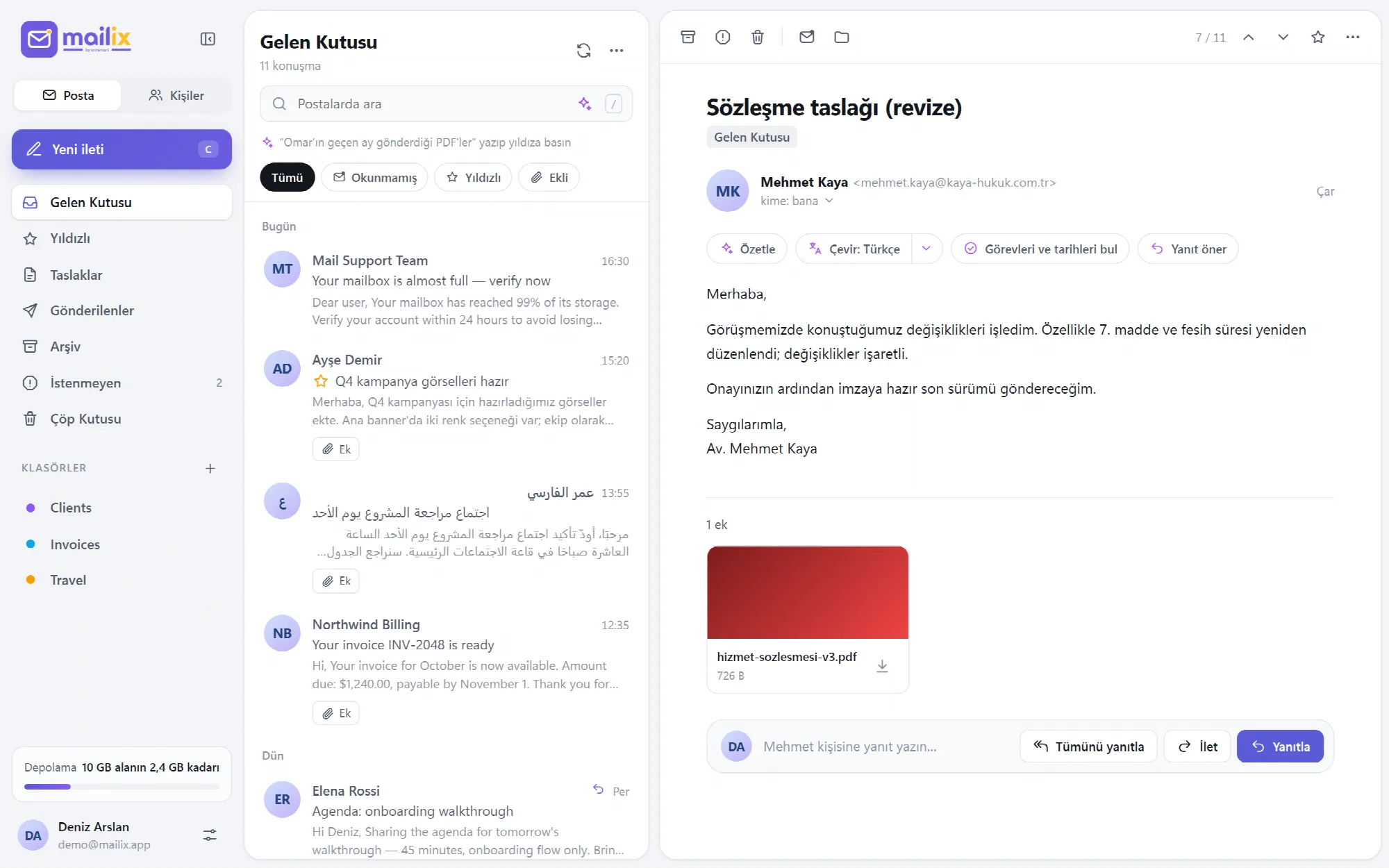
With demo_enabled turned on, the sign-in screen offers Explore the demo. The demo connects to no mail server and uses built-in sample data:
- sample messages in English, Turkish and Arabic, including conversations, attachments, a newsletter and a phishing example;
- contacts, folders, filters, signed-in devices and a storage meter;
- a sample company AI account with prepared answers, without a real AI provider;
- two-step verification that can be tried with the demo code shown on the screen.
Sent mail stays in the demo, nothing is delivered, and demo data is removed after a day. Adding accounts, Archive, Import and Send feedback are not available in the demo.
View the interface example
A Practical First Installation
- Check PHP, HTTPS and the mail services on the server.
- Run the installation script as root.
- Sign in to cPanel Webmail with a test mailbox and open Mailix.
- Turn on two-step verification and prepare a small archive to test the reader.
- Set the default language, attachment limit and archive options in the configuration file.
- Tell users that Mailix is ready on the Webmail screen.
Questions About Setup
Does Mailix need a database?
No. Mailix reads and sends mail through the server's own IMAP and SMTP services and keeps its settings in small files.
Does updating overwrite my configuration?
No. The installation script and the update package keep the configuration file, and user data stays in place.
Can Mailix run without cPanel?
Yes, as a standalone installation with any IMAP and SMTP server. Filters and automatic replies need the cPanel mail service and are not available without it.
Is there a demo for presentations?
Yes. Turn on the demo mode in the configuration file to show Mailix with sample messages in three languages.
Continue Your Mailix Workflow
Reviewed against Mailix 1.2.3 · Last updated 29 October 2026