

Vendix Plugin
The theme's own places for Vendix's store and news parts, banner zones, headers and templates, with Vendix's colors, type and guided setup.
Explore Vendix Plugin
WORDPRESS THEME FOR VENDIX AND ELEMENTOR
Vendix Theme is the WordPress theme ARN Smart makes for the Vendix plugin and Elementor. It opens its own places for Vendix's store and news parts, banner zones, headers and templates, and gives business, store and news sites a light frame with page layout options, WooCommerce styles and right-to-left support. It also works without the plugin.
Pages are designed in Elementor, so the theme stays in the background: a header, a footer, a page title and the post, store and news parts that Elementor pages do not draw themselves. When a page builder layout replaces the header, footer or content area, the theme steps aside.
The site type in Customizer → Vendix decides the starting values of the sticky header, the footer columns, the breadcrumbs, the blog sidebar and the reading time. Store sites get styled WooCommerce pages, and news sites get a top bar, widget areas for banners and ads, and reading features.

The theme's own places for Vendix's store and news parts, banner zones, headers and templates, with Vendix's colors, type and guided setup.
Explore Vendix Plugin
A base theme for Elementor that keeps one design source, loads little and does not lock content into the theme.
See Why Vendix Theme
Business / Corporate, Store and News / Magazine set fitting starting values without changing saved options or content.
Explore Site Types
A sticky or transparent header with a button, up to four footer widget columns, a page title band and page-by-page layout options.
Explore Header, Footer & Page Title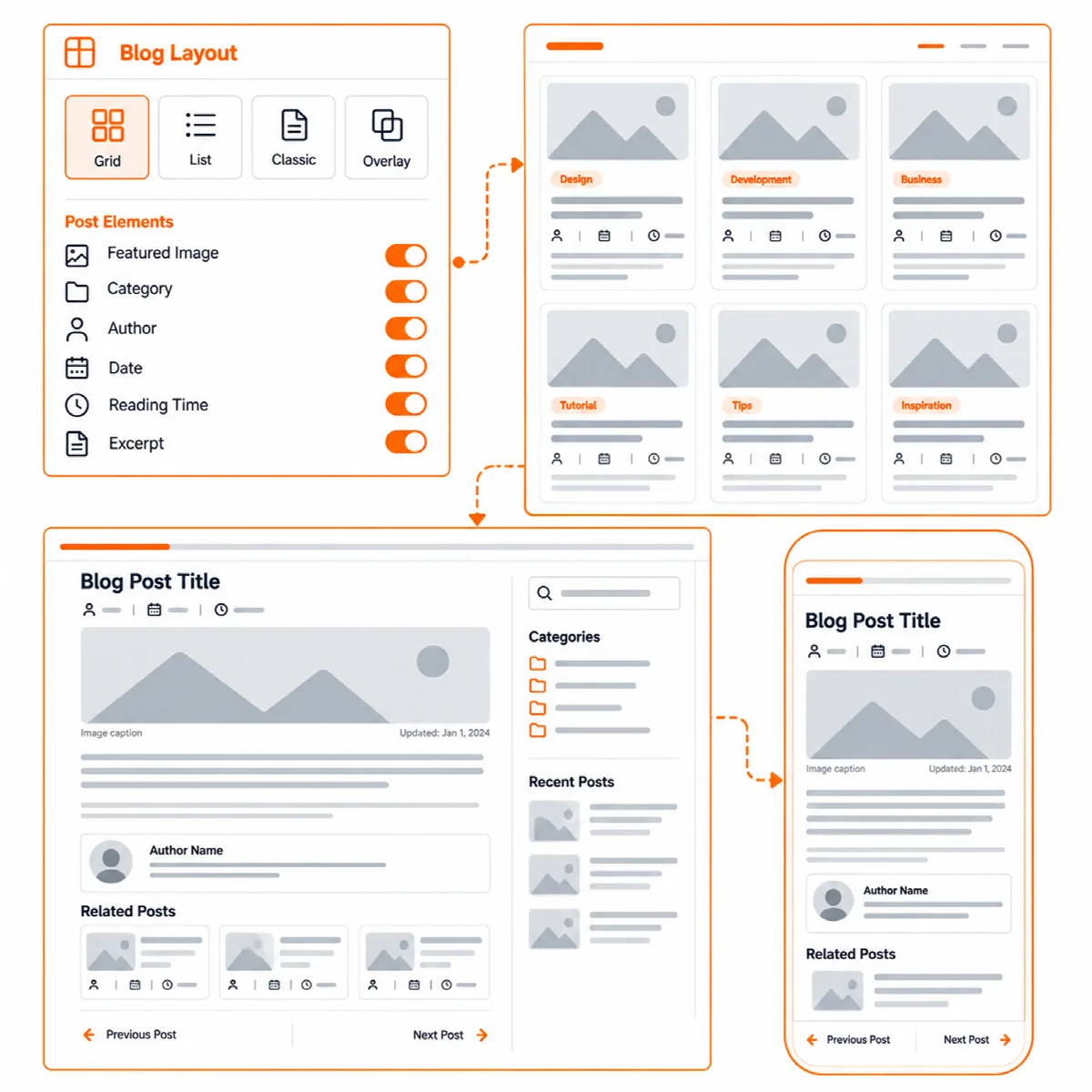
Post lists in four layouts and post pages with a title over the image, a reading column, related posts and a reading progress bar.
Explore Blog & Posts
WooCommerce header icons, a plain checkout, a shop filter panel, product card hover images and styled cart, checkout and account pages.
Explore Store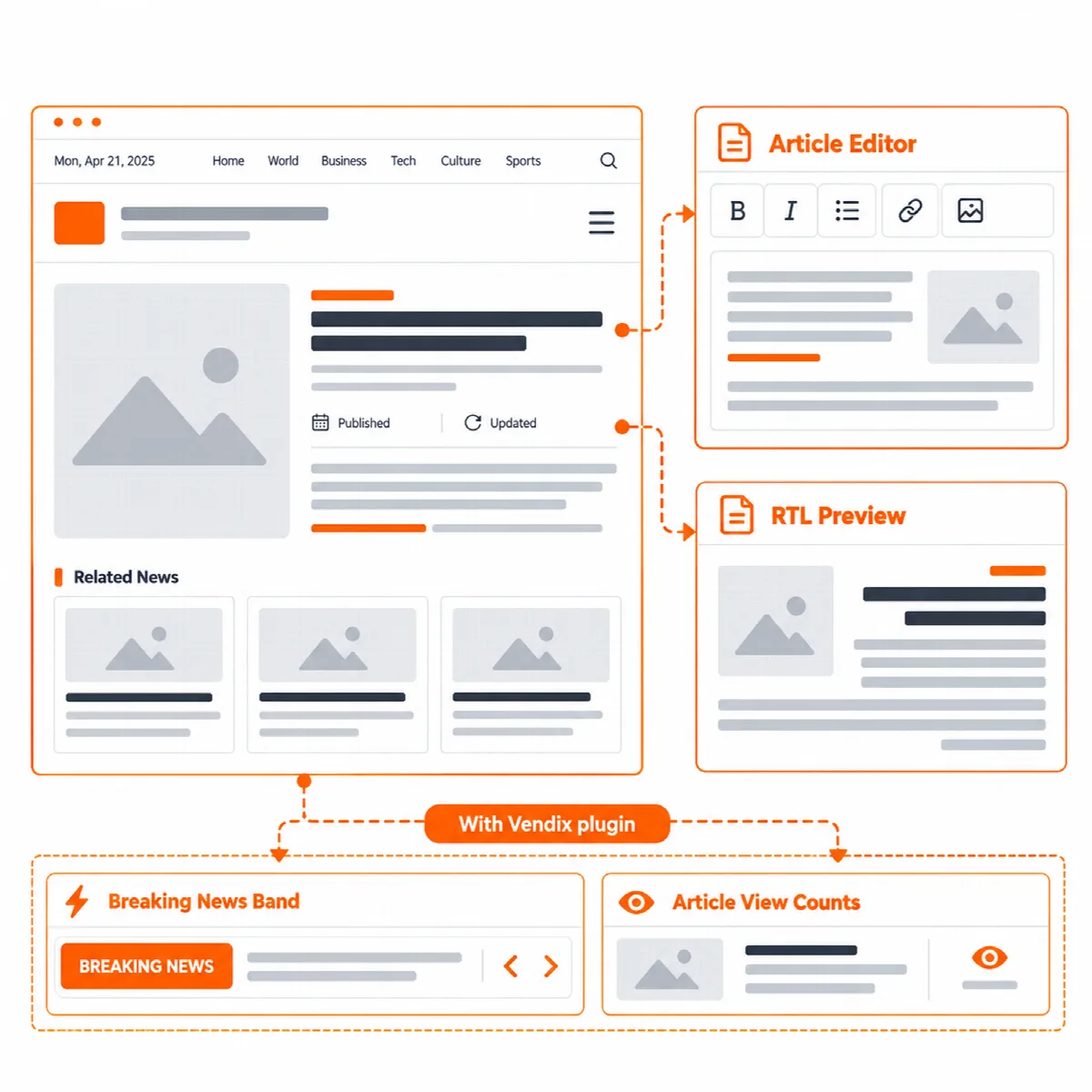
A top bar with the date, published and updated times, a standfirst, related news and a reading progress bar.
Explore News & Magazine
Five widget areas with reserved space for banners and ads, so pages do not jump while an ad loads.
Explore Banner & Ad Areas
Elementor Theme Builder locations, the Vendix plugin's layouts and templates, and documented hooks for developers.
Explore Elementor & PluginsInstall the theme and choose a site type in Customizer → Vendix.
Set colors and fonts in Elementor Site Settings or in the Vendix design system.
Turn on the header, footer, page title, blog, store or news options the site needs.
Build pages in Elementor and adjust single pages with their Page Layout options.
Agencies:
Start client sites from one base theme and switch the site type instead of changing themes.
Store owners:
Get styled WooCommerce pages, a plain checkout and header cart icons without template copies.
Publishers:
Get a top bar, reading features and widget areas with reserved space for banners and ads.
Business websites:
Keep a clean header, footer and page title around pages built in Elementor.
One package for every site type.
Vendix Theme is one package with no separate paid edition. It is made for the Vendix plugin and connects with Vendix Free (ARN Smart Site Utilities for Elementor) and with Vendix Pro; it also works on its own, with or without Elementor. Vendix is developed and tested with Vendix Theme, so the full fit is here.
| Works with | What it adds |
|---|---|
| Elementor | Pages, Site Settings colors and fonts, and Elementor Pro Theme Builder locations |
| Vendix Free | Design system colors in the block editor palette, the Header & Footer Builder in the theme's places and the guided setup |
| Vendix Pro | Also element typography, Vendix Templates, banner zones, news parts, post features and store links in the header |
Requirements: WordPress 6.6 or later and PHP 7.4 or later. The theme is licensed under the GNU GPL v3 or later and is based on Hello Biz.
Choose the site type, then build one page.
After activation, Appearance → Vendix opens a welcome page. "Start setup" opens the guided setup of a compatible plugin, and the page lists the recommended plugins, Elementor and ARN Smart Site Utilities for Elementor, with links to WordPress's own install screens; nothing is installed until you click.
Then choose the site type in Customizer → Vendix, build one page in Elementor and check it on a phone.
Let Elementor carry the design and let the theme keep the frame consistent.
Reviewed against Vendix Theme 1.3.3 · Last updated 1 November 2026