

WOOCOMMERCE STYLES WITHOUT TEMPLATE COPIES
Store
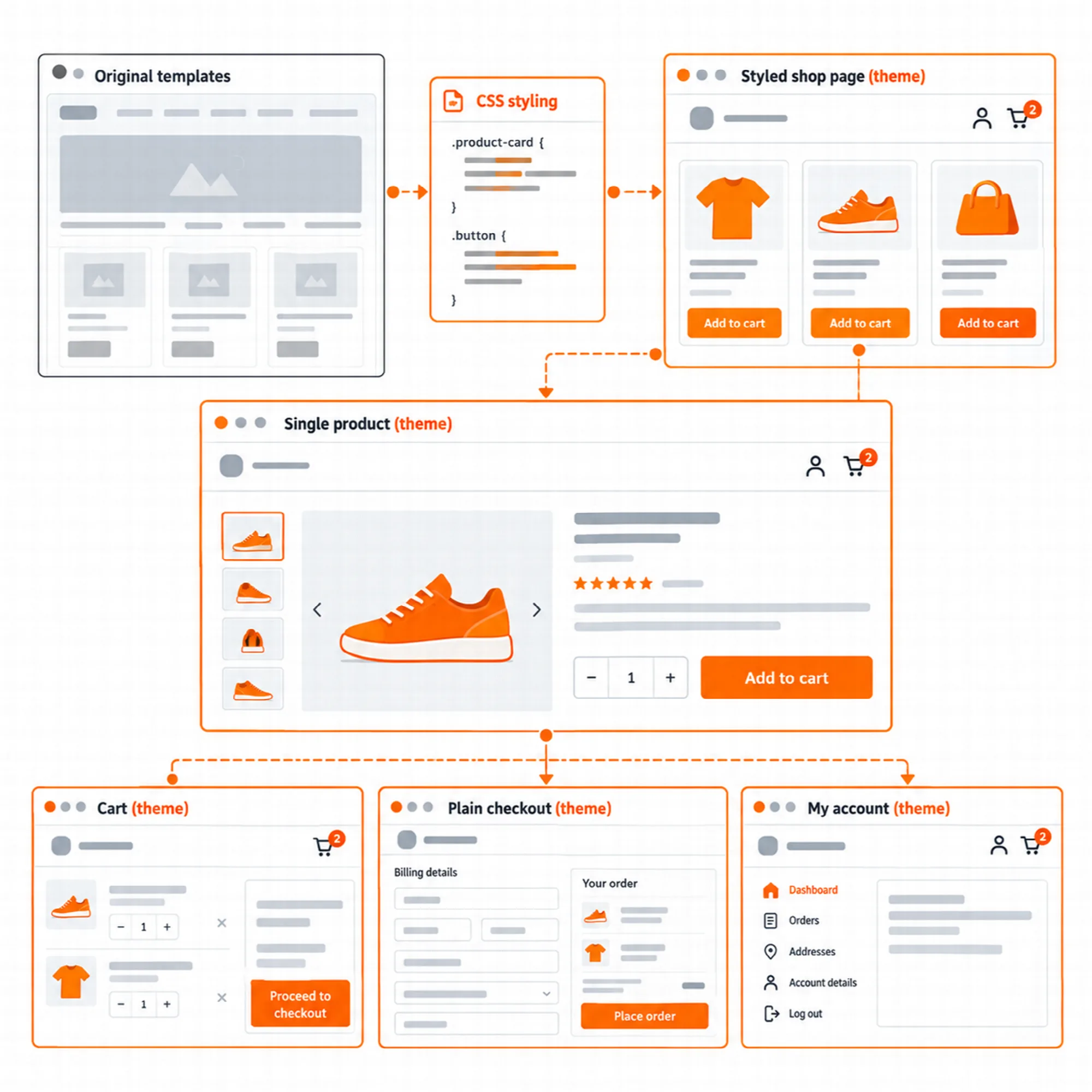
Vendix Theme styles WooCommerce stores without copying its templates. Customizer → Vendix → Store adds header search, account and cart icons, a plain checkout, a shop sidebar or filter panel, product cards with a hover image and a sale badge, gallery options and styled cart, checkout and account pages.
Store Header
Keep search, account and cart one click away.
The theme header can show a product search, a link to the account page and a cart link with the number of items. The cart count stays current through WooCommerce's own cart fragments.
On phones and tablets the logo keeps its room when icons are added at the end of the header row, and the icons move to a row of their own when the row is full. With Vendix Pro's store features, wishlist and compare links with their counts join the same group.
Plain Checkout
Remove distractions where customers pay.
"Keep the header and footer of the checkout page plain" shows only the logo or site title in the header and only the footer text in the footer on the checkout and order received pages. Customers stay on the page that completes the order.
While WooCommerce processes the order, the place order button shows a spinner, or a still lock when the visitor prefers reduced motion, in the classic checkout and in the Checkout block.
Shop & Product Cards
Make the catalog easy to scan and filter.
| Option | Choices |
|---|---|
| Shop sidebar position | At the start, at the end, or a filter panel that slides in |
| Product columns on phones | One or two; larger screens use WooCommerce's products per row |
| Hover image | The first gallery image while the pointer is over a product |
| Sale badge | A percent or a text badge on the start corner of the image |
While the filter panel is open, status messages such as the number of results of a filter plugin are still read out by screen readers. With Vendix Pro's quick view and wishlist buttons, the card buttons sit in the theme's card action area over the product image.
Product Gallery
Show products the way shoppers look at them.
The product page gallery can zoom images on hover, open them in a lightbox and show them as a slider with thumbnails. Each option can be turned on separately.
Cart, Checkout & Account
Give the last steps of the purchase the site's look.
The cart, the checkout and the account pages are styled, the WooCommerce blocks included. The buttons of the blocks, such as Proceed to Checkout, take the theme accent color like the other store buttons, and in a wide Checkout block the order summary stays below a sticky header.
The theme copies no WooCommerce templates, so WooCommerce updates do not leave outdated template copies behind. With the Vendix plugin, the product, shop, cart, checkout and account pages can also be designed as Vendix templates.
A Practical Store Setup
- Choose the Store site type in Customizer → Vendix.
- Turn on the header search, account and cart icons in Customizer → Vendix → Store.
- Choose the shop sidebar position and the product card options.
- Turn on the plain checkout and place a test order on a phone.
Questions About Store
Does Vendix Theme replace WooCommerce templates?
No. It copies no WooCommerce templates and styles WooCommerce's own pages and blocks.
Does the plain checkout hide the whole header?
It keeps the logo or site title in the header and the footer text in the footer, and leaves out the menu, the button, the header icons, the footer columns and the footer menu on the checkout and order received pages.
Do the store styles work with the Checkout and Cart blocks?
Yes. The cart, checkout and account styles include the WooCommerce blocks.
Continue Exploring
Reviewed against Vendix Theme 1.3.3 · Last updated 28 October 2026