

NEWS AND MAGAZINE PAGES BUILT FROM YOUR OWN POSTS
Newspaper
Vendix Newspaper Widgets is an optional Pro module that adds ten Elementor widgets for news and magazine sites on WordPress, from News Blocks and a breaking news ticker to related news and a share bar. It also adds a post view counter for most-read lists, NewsArticle schema, a Google News sitemap and news parts for Vendix Theme.
The module is off by default. Turn it on in Vendix → Smart Features → Newspaper Widgets, and the widgets appear in Elementor under "ARN Newspaper Widgets". While it is off, the widgets, their files and their requests are not loaded, and pages that use them show nothing in their place.
Front Page Widgets
Arrange lead stories, lists and headlines the way a news front page needs.
Five widgets build the sections of a home page or a category page:
| Widget | What it does |
|---|---|
| ARN Section Header | A section title in four styles (side line with subtitle, colored band, underlined title, plain title), with an optional "More" link and sub-category or custom links in the bar. |
| ARN News Blocks | 11 layouts, from a lead story beside a list to mosaics, a grid and a list, with 7 item styles. Changing the layout keeps the post settings. Optional header with links or filter tabs, a "show 5 – 10 – 15" switch and "Load more". |
| ARN News Slider | Five layouts: headline with a thumbnail strip, side text card with a counter, carousel strip, wide banner and slider with headlines below. |
| ARN Popular / Tabbed News | Tabs such as Latest, Most read, Most commented, Featured or one category, each with its own time window. |
| ARN News Ticker | Headlines from posts or from a page the editors write in the block editor, with breaking, text, time and image types, layouts such as a date bar, an angled label, a featured card and a vertical list, a typewriter effect and a pause button. |
Layouts follow the width of the widget, so a block in a sidebar collapses as it does on a phone. Each widget has small-screen options, and right-to-left languages are supported.
The widgets show the site's own published posts. They do not import news from other sites or write articles.

Article & Sidebar Widgets
Keep readers with related stories, sharing and the people behind the paper.
Five more widgets work on single posts and in sidebars:
| Widget | What it does |
|---|---|
| ARN Related News | Posts that share the categories, tags or author of the post being read, in a grid or a list. It is meant for single post templates and shows nothing elsewhere. |
| ARN Reading Time & Share Bar | The reading time of the post and share buttons for Facebook, X, WhatsApp, Telegram, LinkedIn and email, plus "Copy link" and the device share sheet in browsers that support them. |
| ARN Authors | A columnist list (photo, name, latest article) or author cards (photo, name, short bio, number of articles), for posts or another public content type. |
| ARN Recent Comments | The latest approved comments with photo, name, a short part of the comment, the post and the date. Comments on private, draft and password-protected posts are left out. |
| ARN Social Counter | The site's social profiles with follower counts you type in. A profile without its own address uses the one in Company Data. |
The share buttons are plain share links: nothing is loaded from the networks and no share counts are shown. Social Counter does not fetch numbers from the networks either.
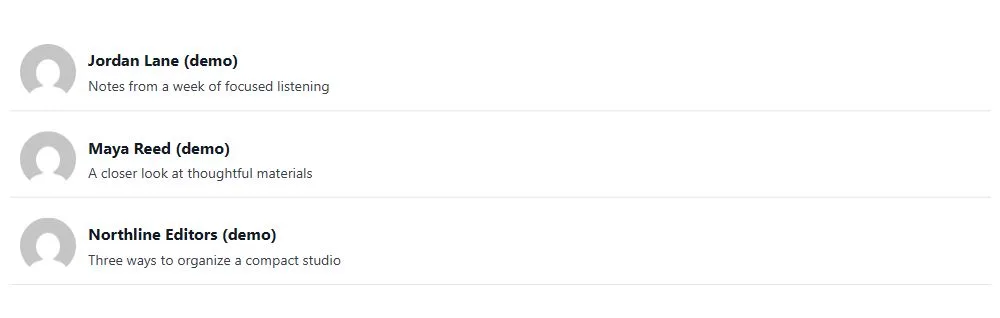
Sample paper in the editor. While no post matches a widget's settings, News Blocks, News Slider, Popular / Tabbed News, News Ticker, Related News, Authors and Recent Comments show the stories, columnists and reader comments of a sample local paper with drawings in the Elementor editor. A note says that visitors see nothing until real content matches.
Post Selection & Most Read
Choose which stories appear and keep one story from showing twice.
News Blocks, News Slider, Popular / Tabbed News and News Ticker share one set of post settings:
- Source: latest, featured (sticky) or hand-picked posts, filtered by categories, tags and authors.
- Order: newest, recently updated, most read, most commented, random or A–Z, within a time window.
- No repeats: skip posts already shown higher on the page or the post being read, and show only posts with an image if you wish.
- Pin a post first: one chosen post always comes first, as the lead in layouts that have one, whatever the filters. "Load more" continues after it.
- Filter tabs: sub-categories as links or filter tabs, or picked categories or tags as tabs. Tabs reload the block without leaving the page.
- Banners between items: with the Banners module, News Blocks shows a banner zone after every N items in the grid and simple list layouts.
Most read. The view counter behind "Most read" counts a view once per browser session with a small request after the page loads, so cached pages are counted too. Search engine bots are not counted, and by default neither are logged-in authors and editors. Choose the content types to count; posts are counted by default.
View counts are the site's own reading figures for ordering and display. They are not a replacement for an analytics tool.

News Schema & Sitemap
Describe posts as news articles and list fresh stories for Google News.
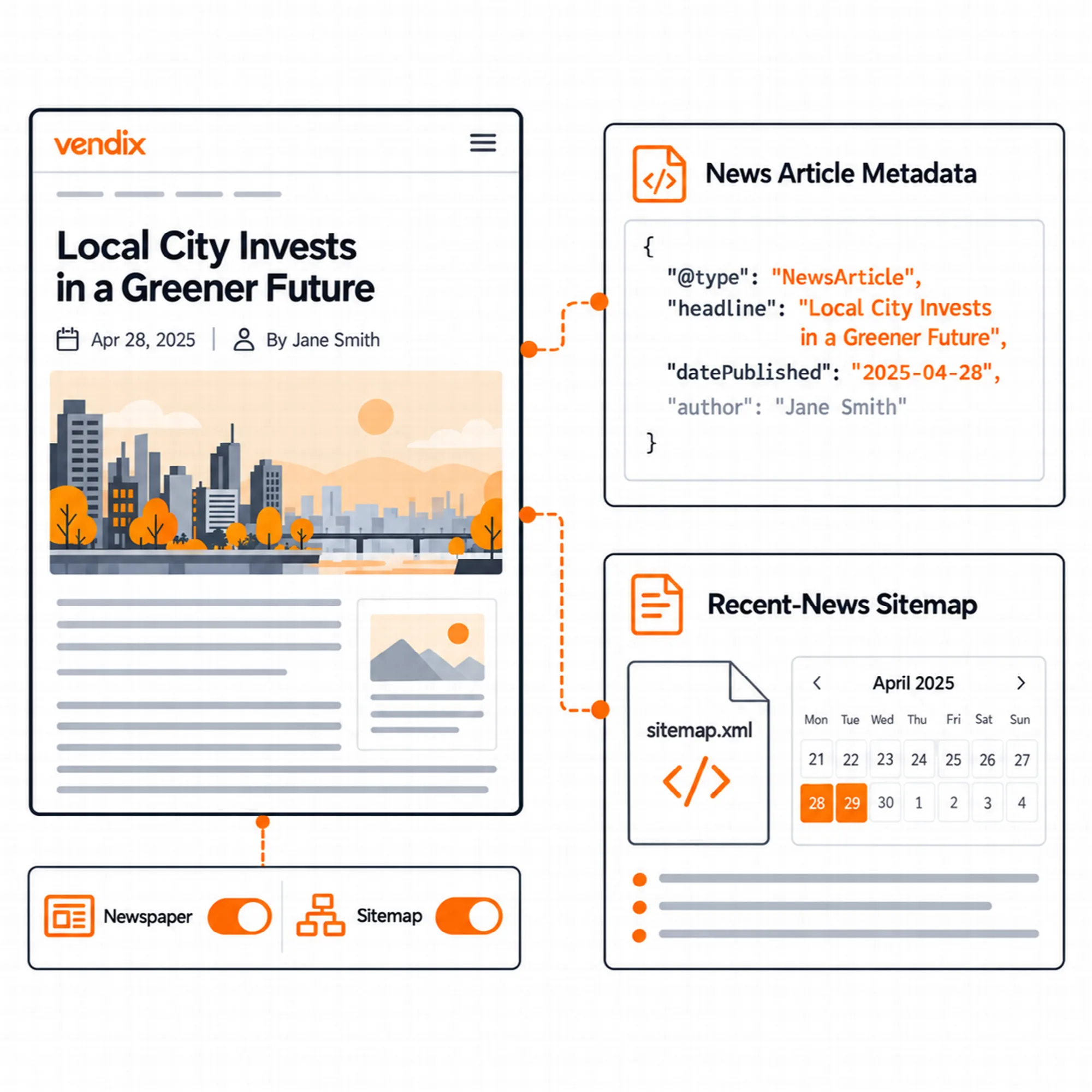
NewsArticle schema. While the module is on, posts are marked as NewsArticle in the structured data of SEO & Visibility. The post's WordPress author is added when no schema author is set, and the first category becomes the article section. This setting is on by default and can be turned off.
Posts whose content type is set in the Vendix SEO box keep that type, and NewsArticle can also be chosen there for a single post. The schema needs SEO & Visibility with structured data turned on; when another SEO plugin is active, Vendix leaves structured data to that plugin.
Google News sitemap. This sitemap is off by default. When it is on, wp-sitemap-news-1.xml lists the posts published in the last two days, at most 1,000, with the publication name and language, and it appears in the sitemap index.
- Enter the publication name exactly as in Google News Publisher Center; when it is empty, the site title is used.
- Posts that the Vendix sitemap leaves out, such as excluded, noindex or password-protected posts, are left out here too.
- The list is refreshed when a post is published, changed or removed, and otherwise kept for up to 15 minutes.
The news sitemap is served only while Vendix controls the sitemap: SEO & Visibility and its sitemap are on and include posts, and no other SEO plugin is active. A news sitemap helps Google find new articles; it does not by itself include a site in Google News.
Vendix Theme Parts
Add news parts to Vendix Theme without building templates.
With Vendix Theme set to the News / Magazine site type (Customizer → Vendix → Site Type), Smart Features → Newspaper Widgets adds parts that each have their own setting and stay off until chosen:
- Breaking news band: in the top bar or under the header, with your own label. Headlines come from the latest posts (optionally one category, the last 24 hours or 7 days, 1 to 20 posts) or from a page the editors write in the block editor, where each list item is one headline. The band hides itself when no post matches.
- Share buttons: above, below or above and below the post text. Since Vendix 1.15.0 they are set in Smart Features → Post Features, work on every site type and can also sit beside the text; the earlier Newspaper settings are read there until that panel is saved.
- View counts: in the post meta and on post cards.
- Related news order: newest first or most read first.
With the Banners module, a banner zone can also use the theme's places before and after the post text. A template layer adds saved Elementor templates above the post text, below it and above post lists (posts page, categories, tags, authors and dates); with Vendix Theme the post templates go to the theme's places around the text, and with other themes they wrap the post text. It is meant for sites without a theme builder; the theme keeps drawing the page.
The Newspaper module runs on other WordPress themes too, with its widgets, schema, sitemap and template layer. It is developed and tested with Vendix Theme, and the full fit is there: the parts above come with Vendix Theme. See Vendix Theme.

A Practical Newsroom Setup
- Turn on Newspaper Widgets and choose the content types the view counter counts.
- Build the home page with Section Header, News Blocks and News Slider, and let lower blocks skip posts already shown above.
- Add Related News and the Reading Time & Share Bar to the single post template, or turn on the Vendix Theme parts.
- Turn on SEO & Visibility with structured data and the sitemap, then the Google News sitemap with your publication name.
- Check the home page on a phone and a block placed in a sidebar column.
Questions About Newspaper Widgets
Does the module write or import news articles?
No. The widgets display the site's own published posts. They do not scrape other sites or write articles automatically.
Do view counts work on cached pages?
Yes. A view is counted with a small request after the page loads, once per browser session, so pages served from a cache are counted too. Search engine bots are not counted.
Is the Google News sitemap turned on automatically?
No. Turn it on in Smart Features → Newspaper Widgets. It needs the SEO & Visibility sitemap with posts included, and it is not served while another SEO plugin is active.
Do the widgets load when the module is off?
No. The widgets, their files and their requests are not loaded, and pages that use them show nothing in their place until the module is turned on again.
Is the Newspaper module part of Vendix Free?
No. Newspaper Widgets is part of Vendix Pro and stays off until it is turned on in Smart Features.
Continue Building
Reviewed against Vendix Pro 2.0.0 · Last updated 1 November 2026